Calendar & Events
A Calendar Every Family and Teacher Actually Uses
Get the right event in front of the right people at the right time. Scope events to a center, program, or classroom, set recurring schedules once, flag your closures, and let families add events to their own calendar in a tap.
A Calendar That Keeps Everyone On the Same Page.
Picture day, the Tuesday music class, a Friday permission slip, the long weekend you're closed. KidzLog gets each one to exactly the families and staff it's for, and nowhere else.
Try KidzLog Free Today.The Right Event Reaches the Right People
Scope every event to your whole center, a single program, or one classroom. Families and teachers see only what applies to them, with no invite lists to manage.
Closures Nobody Misses
Closures and holidays stand out on the calendar, flag the email subject line, and surface a "Center is closed" banner on the attendance screen. Turn calendar emails on or off center-wide.
Set Recurring Events Once
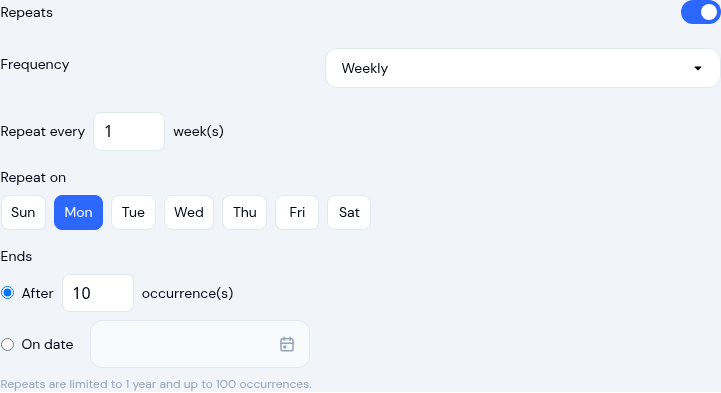
Turn on Repeats for weekly classes or monthly family nights. Edit this event, this and all following, or the whole series, whenever plans change.
Accessible Anywhere
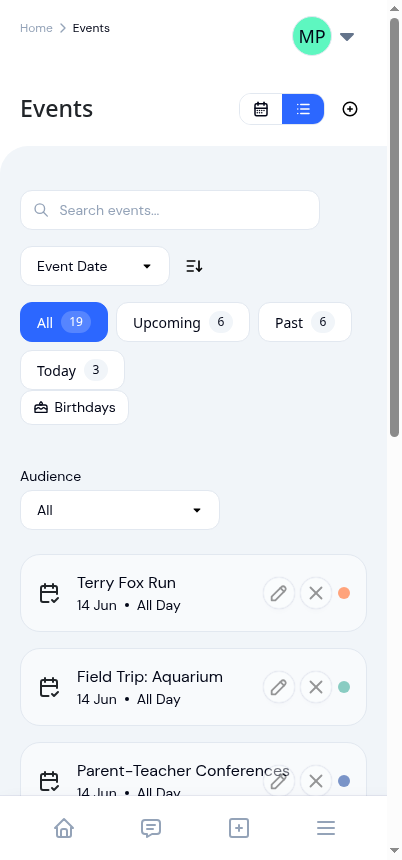
A clean day-by-day agenda on phones, the full month view on desktop, and one-tap Add to Calendar so events land wherever each family and teacher already lives.
Scope Events to Center, Program, or Classroom
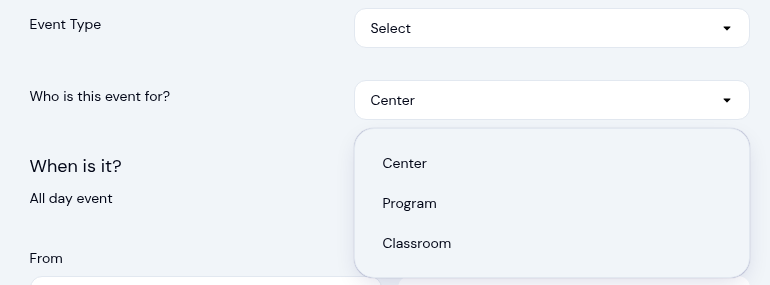
Not every event is for everyone. A center-wide closure is, but the Preschool Room's show-and-tell isn't relevant to infant-room families. When you create an event, choose its scope: center, program, or classroom. Parents automatically see center events plus anything for their own child's room or program. Teachers see center events plus their assigned classrooms, and get their own page to add and manage their room's events, while directors still see everything. No invite lists to manage, and no notification fatigue.
Make Closures Impossible to Miss
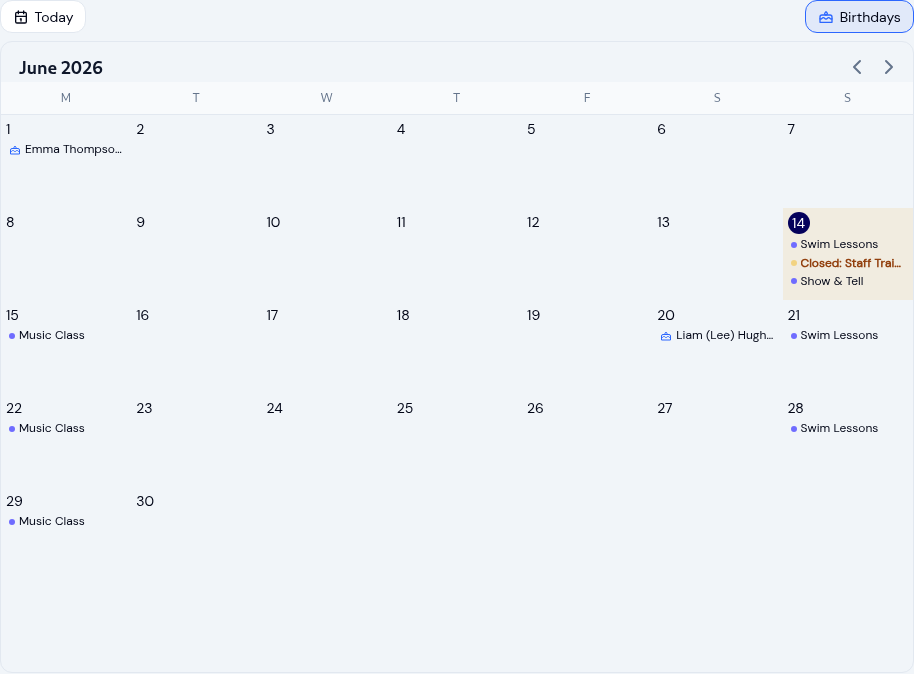
Closures and holidays get extra visibility: they stand out on the calendar and the email subject line is flagged so it doesn't get lost in an inbox. When a day is marked closed, staff see a clear 'Center is closed' banner right on the attendance screen for that day. Centers can also turn calendar emails on or off center-wide, so you control the volume the same way you manage the rest of your parent communications.

Recurring Events Without the Busywork
A weekly music class or a monthly family night shouldn't mean creating the same event over and over. Turn on Repeats, pick a pattern (daily, weekly with your choice of days, or monthly), and set when it ends. When something changes, you decide how far the change reaches: this event only, this and all following, or the whole series. Move one week's class without disturbing the rest, or update them all at once. And before a series runs out of dates, KidzLog emails whoever set it up, so a class scheduled 'for the term' never quietly disappears from the calendar.
Take Events Anywhere, and Never Miss a Birthday
The month view shows real event names in each day, and on a phone it switches to a clean day-by-day agenda. Every event has an Add to Calendar button: download an .ics file or add it to Google Calendar in one tap, with recurring events added as a whole series. There's even an optional birthdays overlay so teachers and admins can plan a little celebration, pulled straight from the children already in your roster.
What our customers say
We've been using KidzLog for a couple of months and we're very pleased. It's a massive improvement in pretty much every way over what we were doing before.
I'm very happy with KidzLog. It works nicely and is easy to use.
Frequently Asked Questions
Here are some of the most frequently asked questions about KidzLog
Can I control who sees each event?
Can I create recurring events?
How are closures handled?
Can families add events to their own calendar?
Can teachers manage their own events?
Can I see upcoming birthdays on the calendar?
Experience the difference with KidzLog
No demos, no credit cards, no commitments. Just sign up and explore the difference KidzLog can make for your childcare center.