Documents & Signatures
Documents & Signatures
Send the forms your center already uses, let families fill them in and sign on their own device, and see at a glance what is still outstanding.
Paperwork That Comes Back On Its Own.
Upload the forms you already have, decide what each family needs to do, and let KidzLog handle the chasing. Every signature is stored with the record it belongs to.
Try KidzLog Free Today.Stop Chasing Paperwork
Send a form once and watch it come back. Reminders go out without you writing an email, and the dashboard shows who is still outstanding.
No More Retyping
Parents answer the questions on the form itself, so the completed copy is the record. Nobody transcribes answers into the system afterwards.
Ready For An Inspection
Every signature is stored with the time, the device, and who signed, alongside the version of the form they signed.
Use The Forms You Have
Your handbook, your consent forms, your state paperwork. Upload the PDF you already use rather than rebuilding it.
Your Own Forms, In One Place
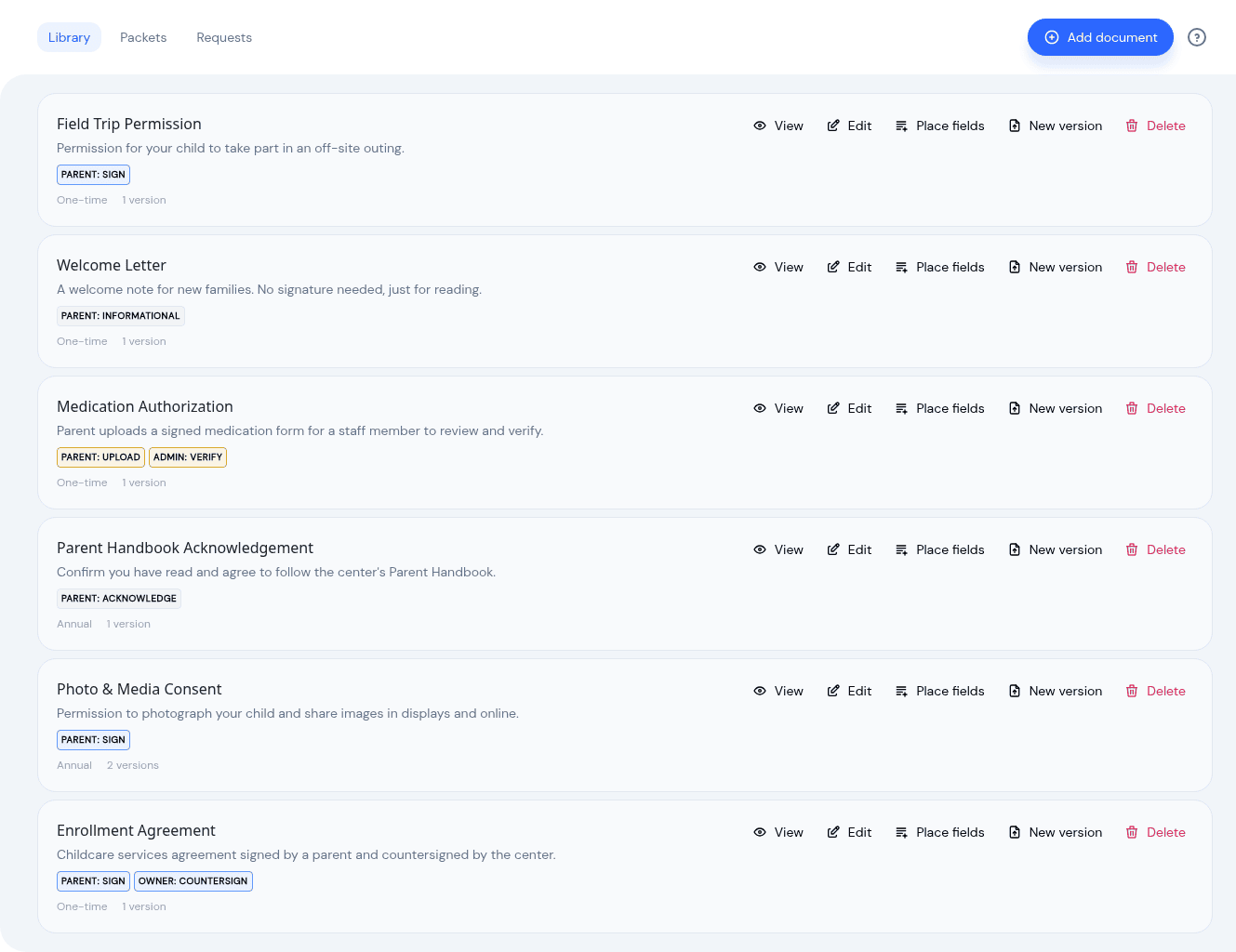
Upload the enrollment agreement, the photo consent, the handbook, the state form your licensor asks for. Each one records what you need back from a family, whether that is a signature, an acknowledgement, or a file they already hold on paper. Forms that always travel together, like a new-family pack, can be grouped into a packet and sent in one action.
Fill In The Form Itself
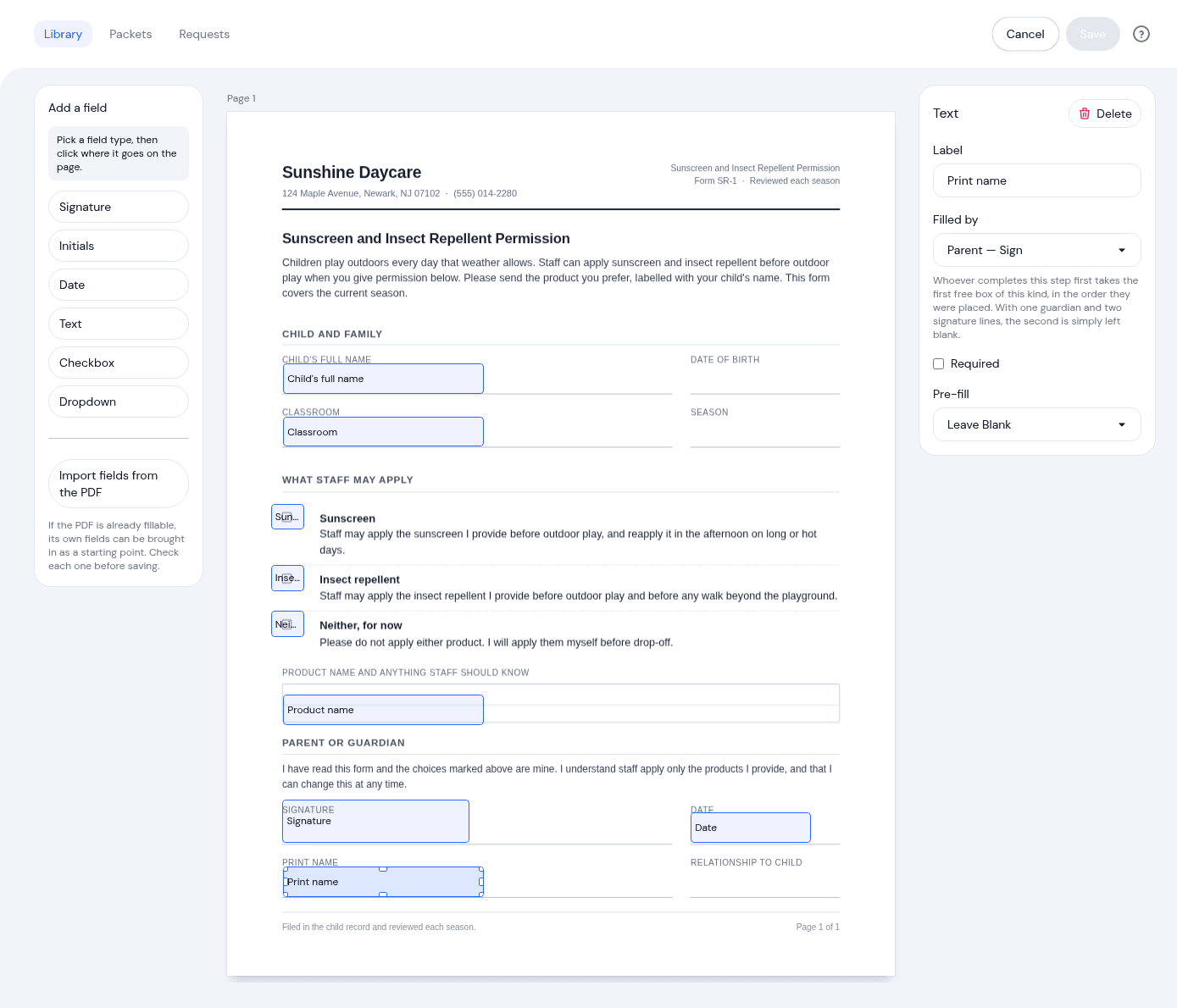
Place signature, initials, date, text, checkbox and dropdown boxes anywhere on the page, then a parent completes the form where the blanks actually are. A state form with a signature line halfway down works the way it was printed to work, and nobody at the center retypes the answers afterwards. If the PDF is already fillable, its own boxes can be brought in as a starting point.
What A Parent Sees
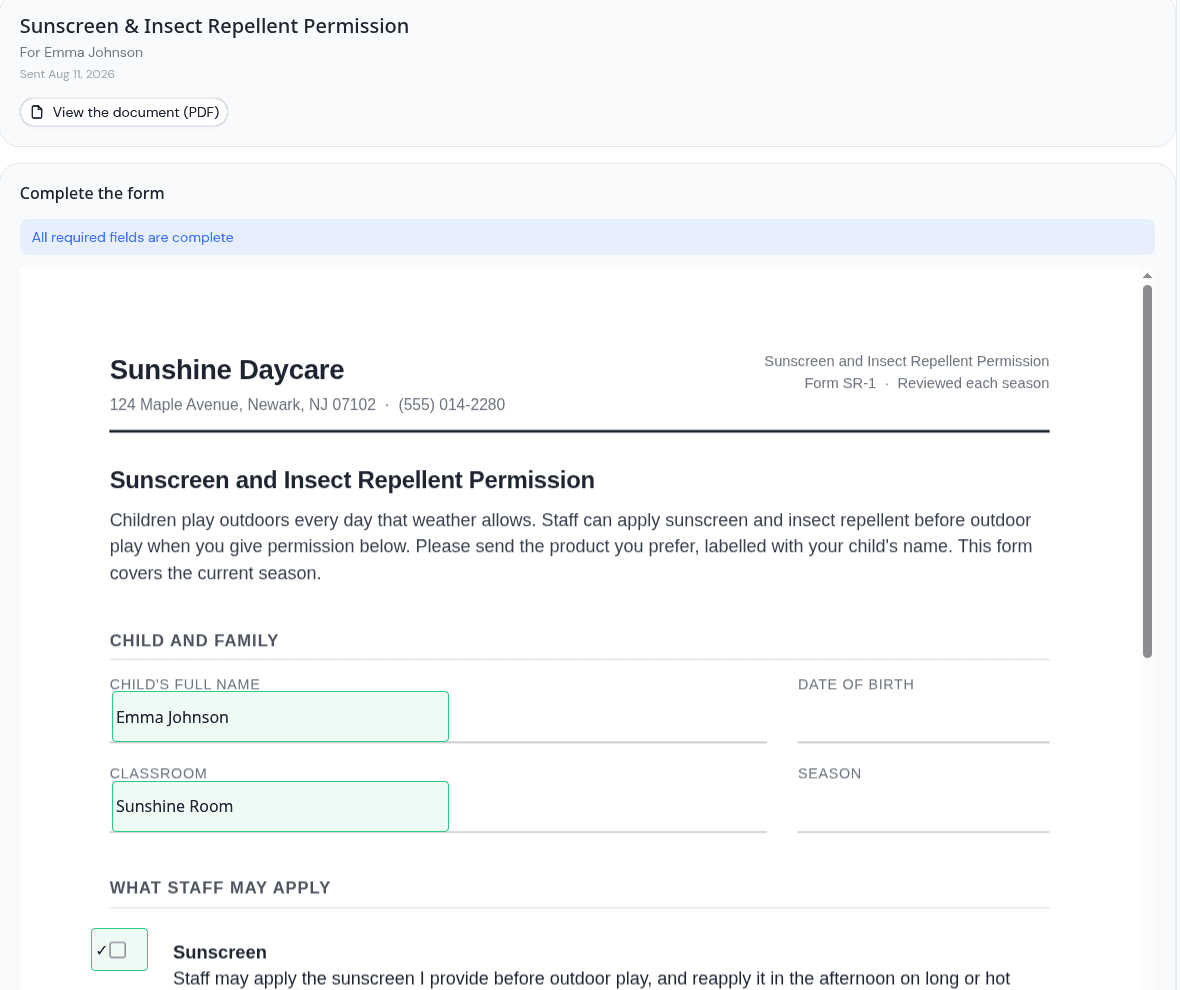
Families open the form on their phone, tablet, or computer, answer the questions in place, and sign by drawing or typing their name. Every signature is stored with the time, the device, and who signed, as a legally-defensible electronic signature. Once a document is signed it locks, so the signed copy stays exactly as it was signed.
One Child, One Room, Or Everyone
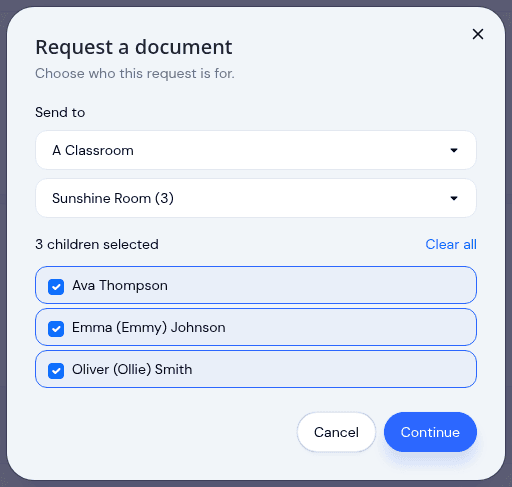
A field trip form goes to one classroom. An updated handbook goes to the whole center. Choose the group and KidzLog shows you exactly which children that comes to before anything sends, so you can take one or two off the list first. Families who have not created an account yet are not lost: their request waits, then sends itself the moment they sign up.
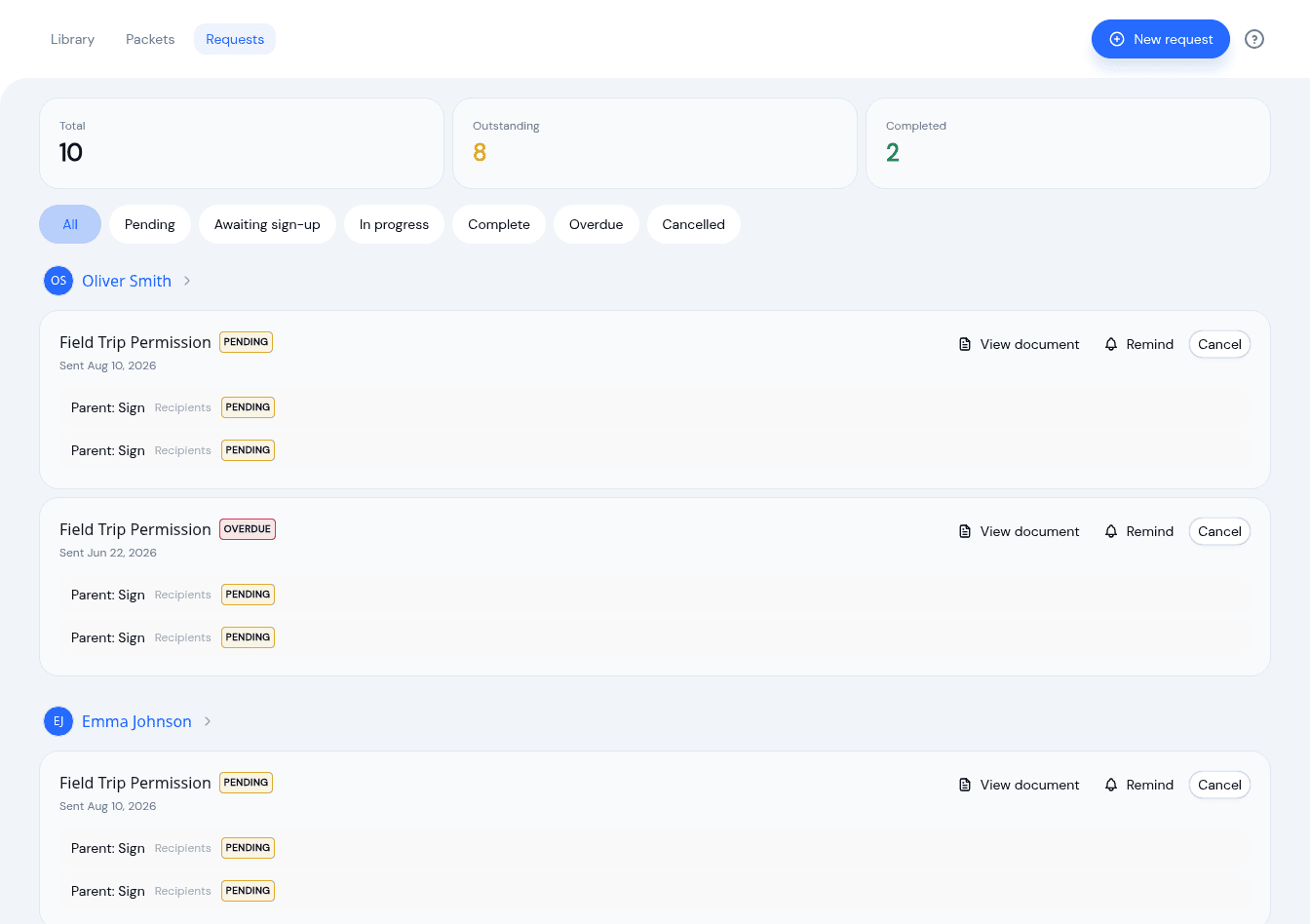
See What Is Still Outstanding
One dashboard shows every request by family, with what is pending, in progress, complete, or overdue. Send a reminder without writing an email, and cancel anything that is no longer needed. When a packet goes out, each form inside it still tracks on its own, so you know which item is holding a family up.
A New Version, Checked Before It Goes Out
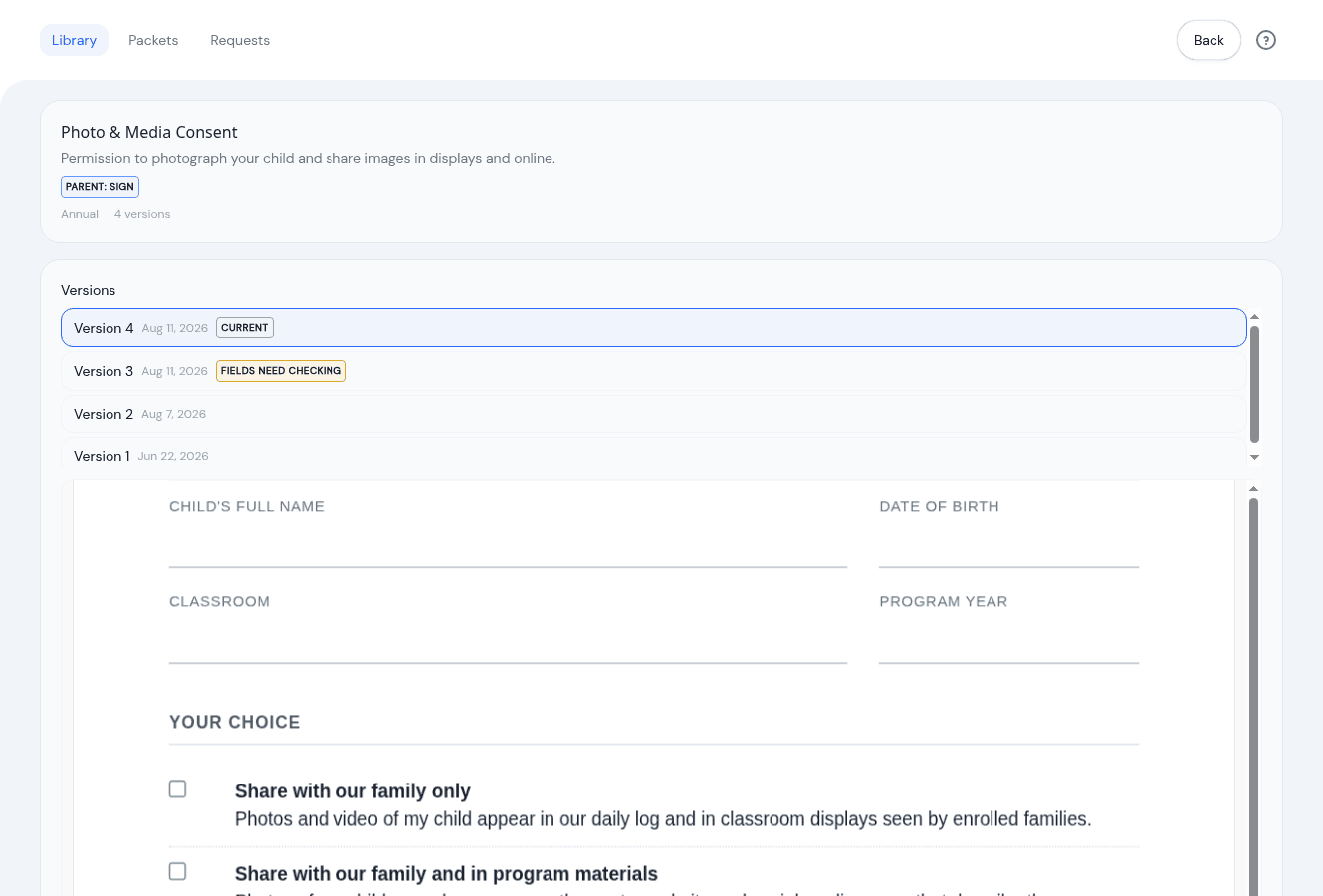
When your consent form changes, upload the new file against the same document. Earlier versions stay on the record with the copies signed against them, and the boxes you placed carry over to the new pages. Because a redesigned form can move a signature line, KidzLog asks someone to confirm the boxes still sit in the right places before the document can be sent again.

Enrollment Paperwork That Sends Itself
Set a packet to go out the moment an application is approved and enrollment day stops involving a separate paperwork step. The documents land with the family while the decision is fresh, and everything comes back into the child's record rather than a folder on someone's desk.
What our customers say
We've been using KidzLog for a couple of months and we're very pleased. It's a massive improvement in pretty much every way over what we were doing before.
I'm very happy with KidzLog. It works nicely and is easy to use.
Frequently Asked Questions
Here are some of the most frequently asked questions about KidzLog
What kinds of documents can I send?
Do parents need an account to sign?
What happens if I upload a new version of a form?
Can a signed document be changed afterwards?
Can I send the same form to a whole classroom?
What if a parent prefers to sign on paper?
Is Documents included in every plan?
Experience the difference with KidzLog
No demos, no credit cards, no commitments. Just sign up and explore the difference KidzLog can make for your childcare center.