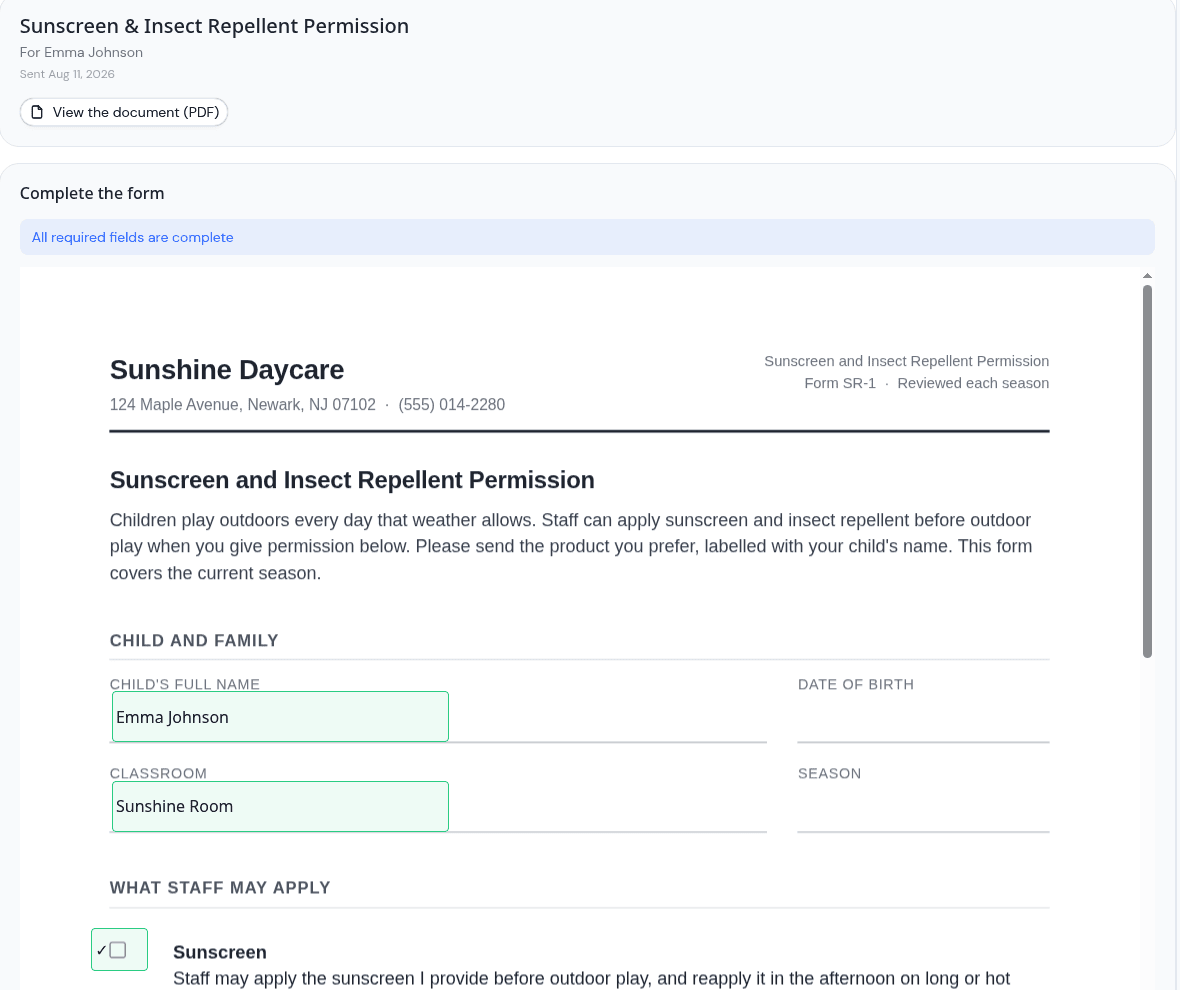
Parents can now fill in the form, not just sign it
Until now, a parent signing a document in KidzLog signed a page added to the end of it. The signature was valid and the record was sound, but the form itself came back blank. Somebody at the center still had to ask a parent for the answers, or type them in from a paper copy.
Now the boxes go on the form. You place a signature, a date, a text answer, initials, a checkbox or a dropdown exactly where the printed form has a blank, and the family fills the whole thing in on their own device.
Put the fields where the blanks are
Open a document from your library, choose Place fields, pick a field type, and click where it belongs on the page. Drag it to line it up. Give it a label so the parent knows what goes there, and say who fills it in, because some boxes are for the family and some are for the center to complete automatically.
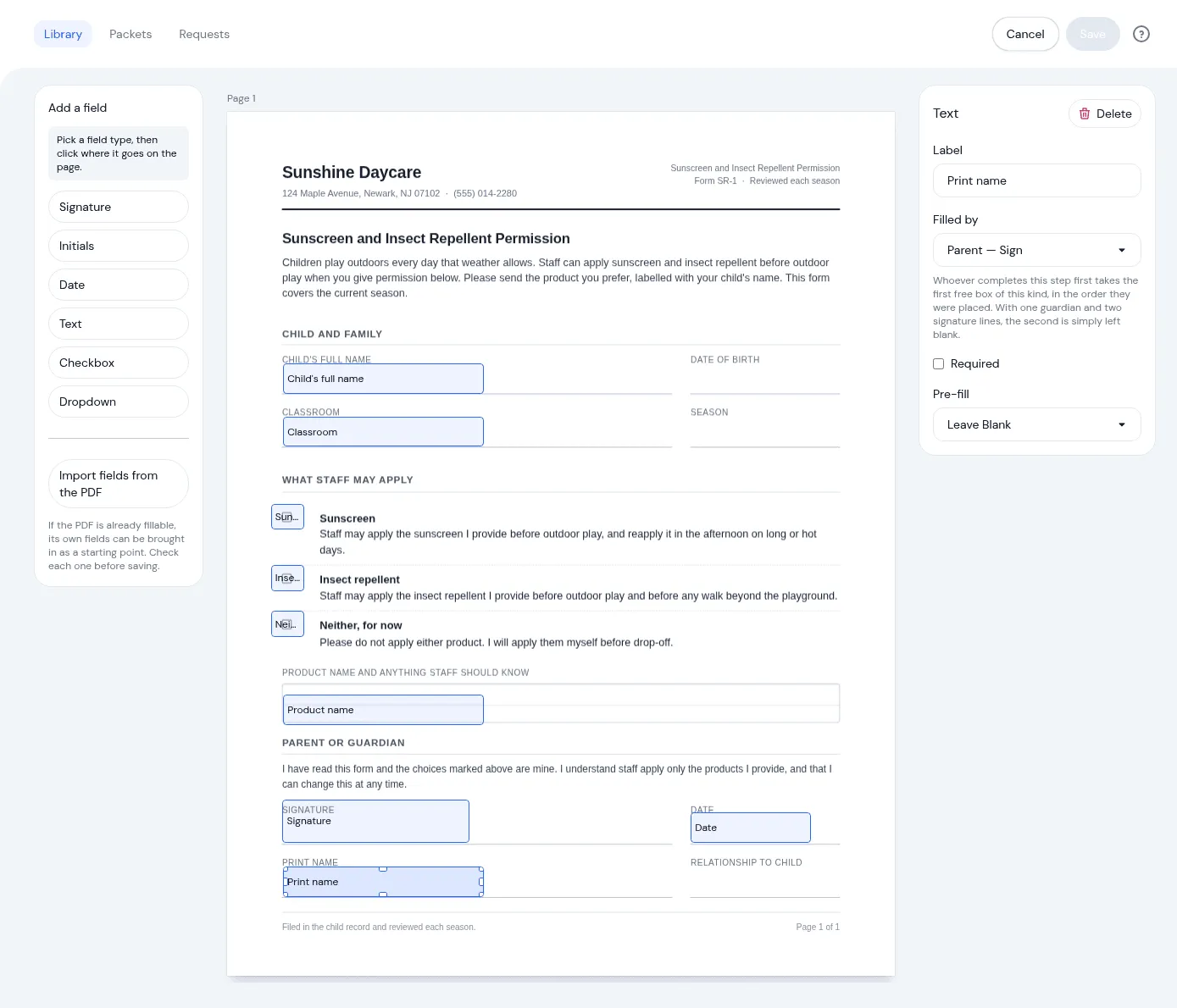
This matters most for the forms you did not design. A state licensing form usually has its signature line halfway down the page, next to a date box and a row of tick boxes, and it is meant to be completed in place. If your PDF is already fillable, its own boxes can be brought in as a starting point, though it is worth checking each one before you save.
What the family sees
A parent opens the document, agrees to sign electronically, and then answers the questions on the form itself. Filled boxes are marked as they go, so a long form does not turn into a guessing game about what is left. They sign by drawing or typing their name, and the completed document is stored as the record.
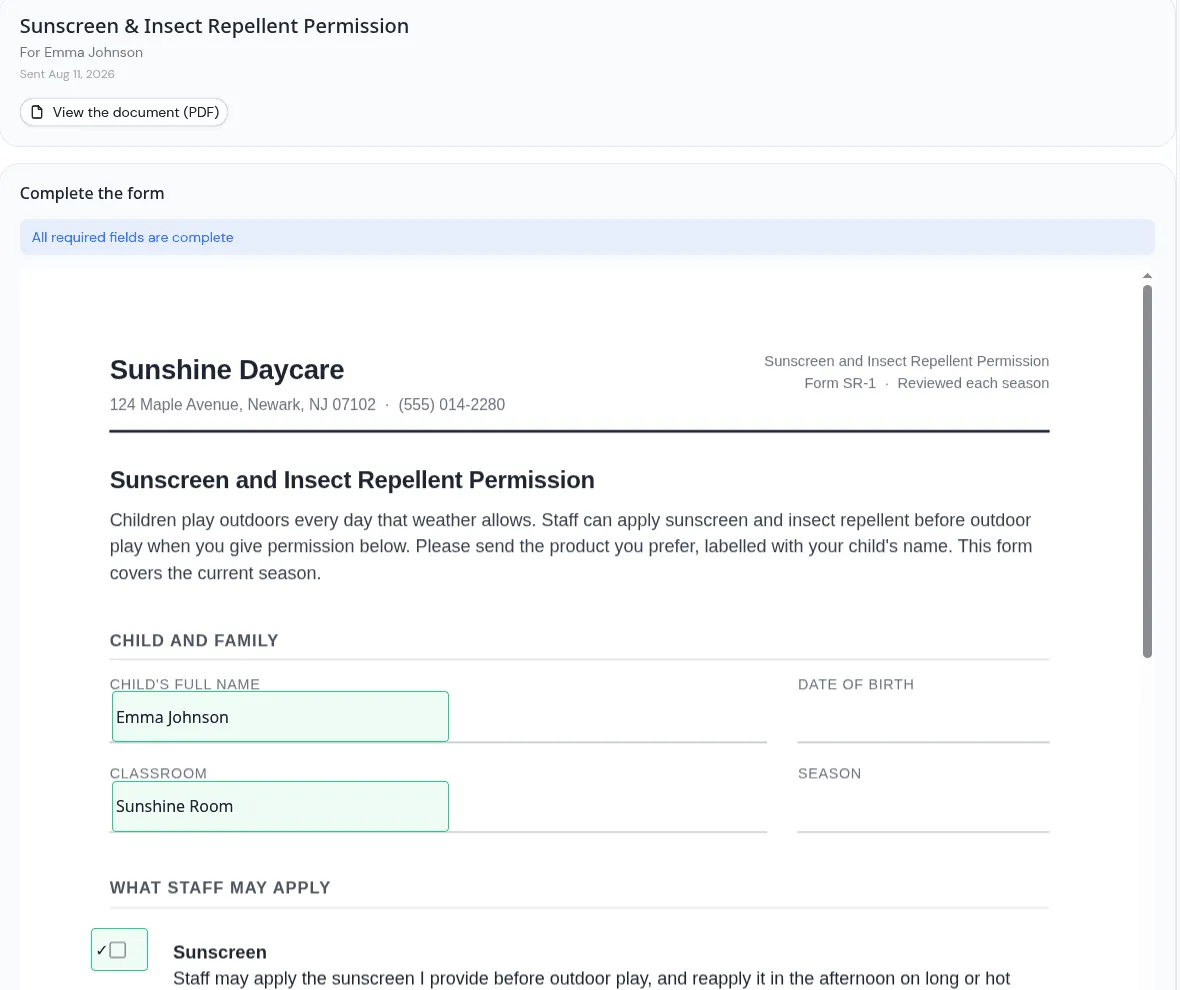
Everything that made the original signing work still applies. Each signature is kept with the time, the device and who signed, as a legally-defensible electronic signature, and a signed copy locks so it cannot be altered afterwards. The difference is that the copy in your records is now the completed form, not a blank one with a signature stapled to the back.
When the form changes, the positions come with it
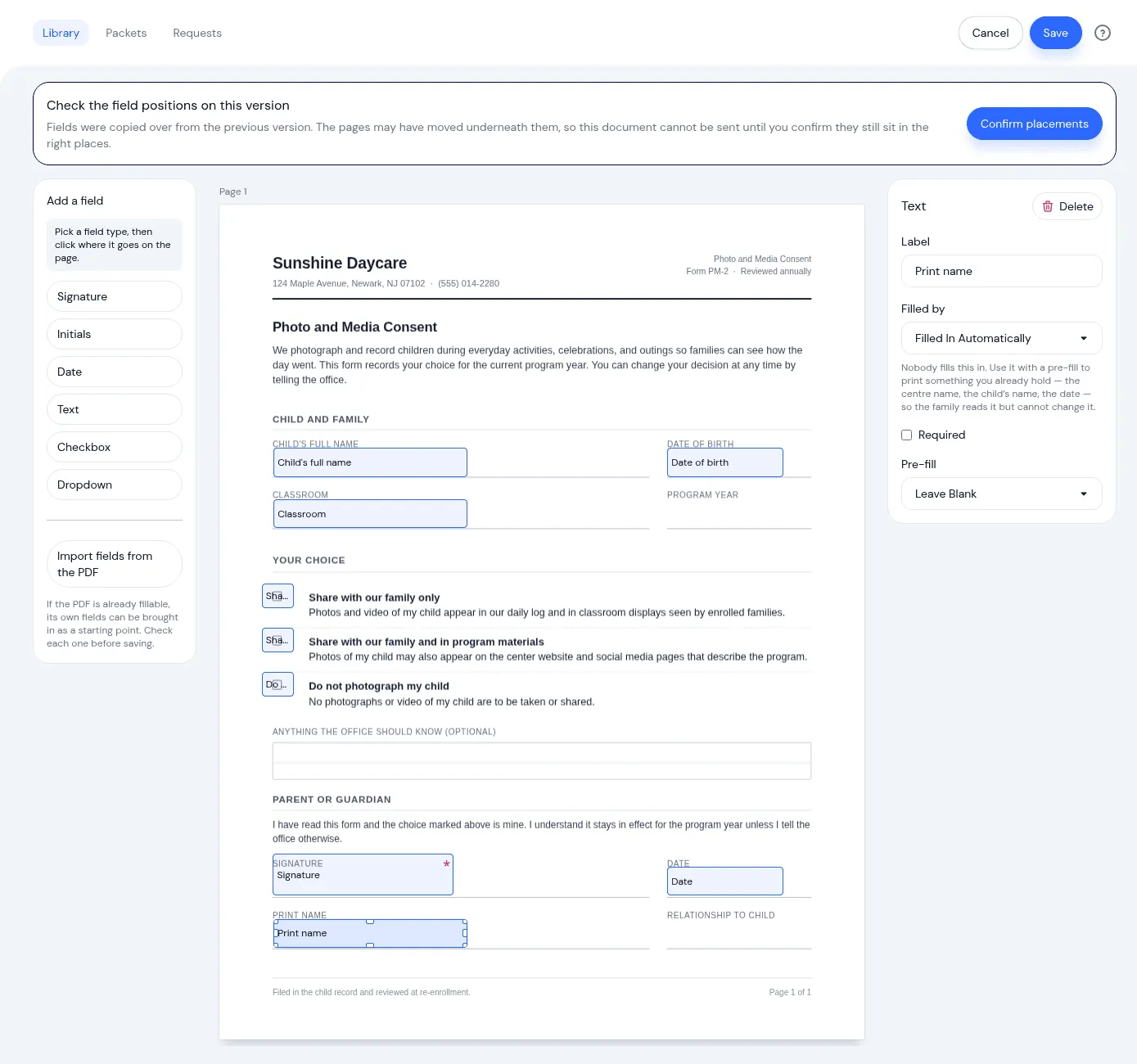
Consent forms get reworded. Handbooks get a new page. When you upload a new version of a document, the boxes you placed carry over to the new file, so you are not starting from scratch every September.
There is one step you have to take, and it is worth the few seconds. A redesigned form can move a signature line an inch down the page, which leaves your boxes sitting over the wrong text, and nobody notices until a parent has signed in the wrong place. So a new version arrives marked as needing a check, and it cannot be sent until someone confirms the boxes still sit where they should.
Getting started
Documents is an optional module. If it is already on, the Place fields action is on every document in your library. If it is not, an owner can turn it on in settings.
The Documents feature page covers the module as a whole, and our guide to collecting signed enrollment paperwork without the chase is worth a read if paperwork season is coming. If you are also sending the same form to a whole room, documents can now go to a classroom, a program, or the whole center.
Ready to Simplify and Organize your Daycare?
Get started with KidzLog today!
KidzLog Team
Related Articles
August Update: Enrollments and Fillable Forms
Families apply from your center's own page, parents complete a whole PDF on their own device, and the attendance report...
June Update: Document Signing and QR Check-In
Send documents for online signatures, offer QR check-in, file audit-ready incident reports, and review enrollment...

Send, sign, and track enrollment documents
A new Documents module lets you send forms for parents to sign, acknowledge, or upload, and auto-sends the enrollment...