Incident Reporting
Handle Incidents with Confidence.
Document every detail, get director approval, and notify parents, all in one structured workflow. No loose papers, no missed steps.
Document Incidents Thoroughly and Fast.
When something happens, your team needs a clear process. KidzLog gives you structured forms, approval workflows, and a complete audit trail, so nothing falls through the cracks.
Try KidzLog Free Today.Structured Incident Forms
Every detail captured: what happened, where, why, and what was done. No more scrambling to remember details hours later.
Approval Workflow
Incidents go through a review process before reaching parents. Directors approve, sign, and add notes before notification.
Parent Notification
Parents are informed promptly with complete details. Digital signatures from both staff and parents create a clear record.
Complete Audit Trail
Every incident is stored with timestamps, signatures, and approval history. Corrections and removals are recorded rather than applied quietly, and a report is never destroyed. Export or print reports for licensing inspections.
When Incidents Happen, Documentation Matters.
A scraped knee or an allergic reaction; parents trust you to handle it and tell them exactly what happened. KidzLog makes sure nothing gets missed.
Track Every Incident, Start to Finish
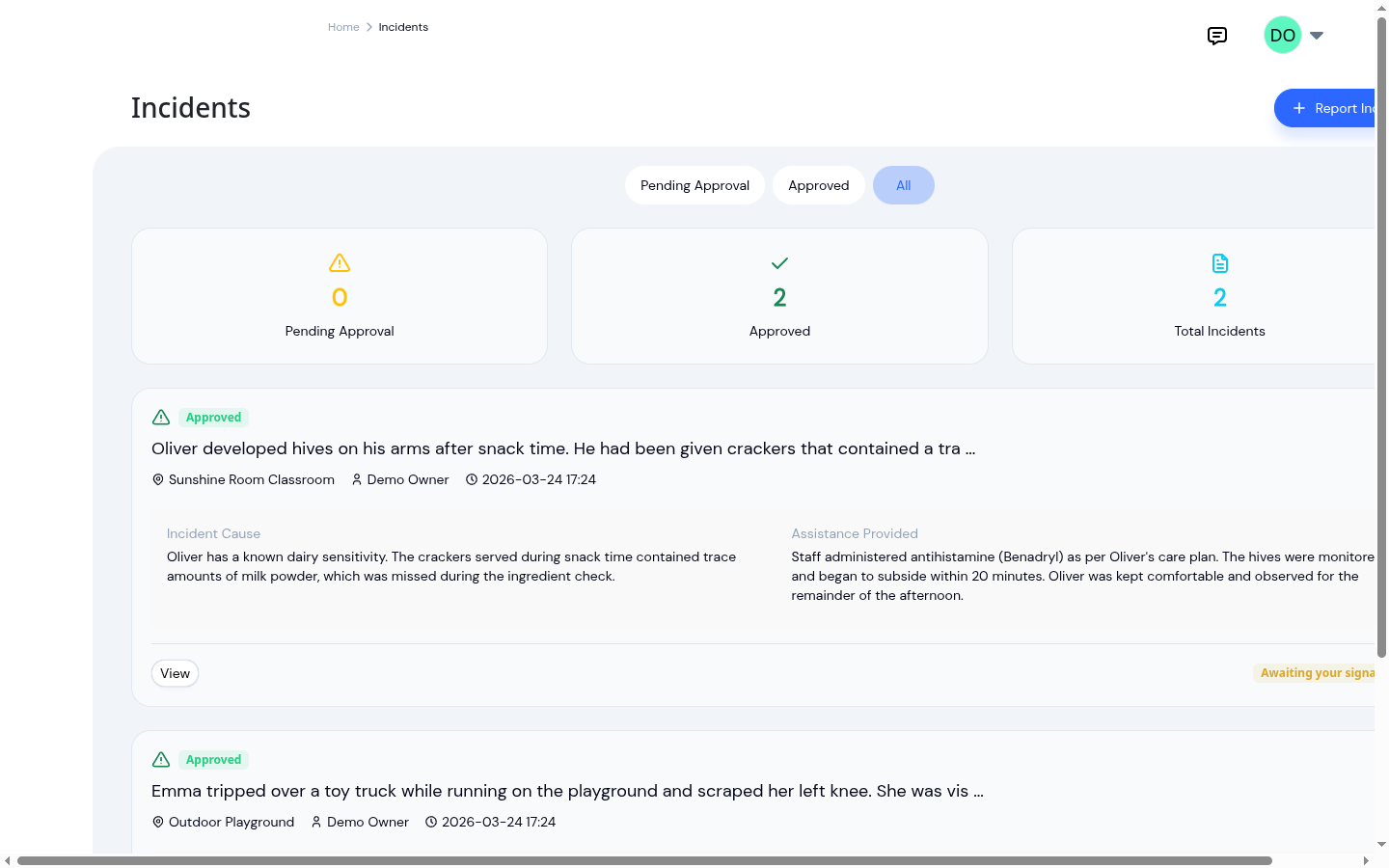
Your incident dashboard shows every report at a glance: who filed it, which child was involved, and the current approval status. Pending reports are easy to spot so directors can review and approve them quickly. Whether you have one incident this month or twenty, every report is organized and accessible.
Thorough Documentation, Every Time
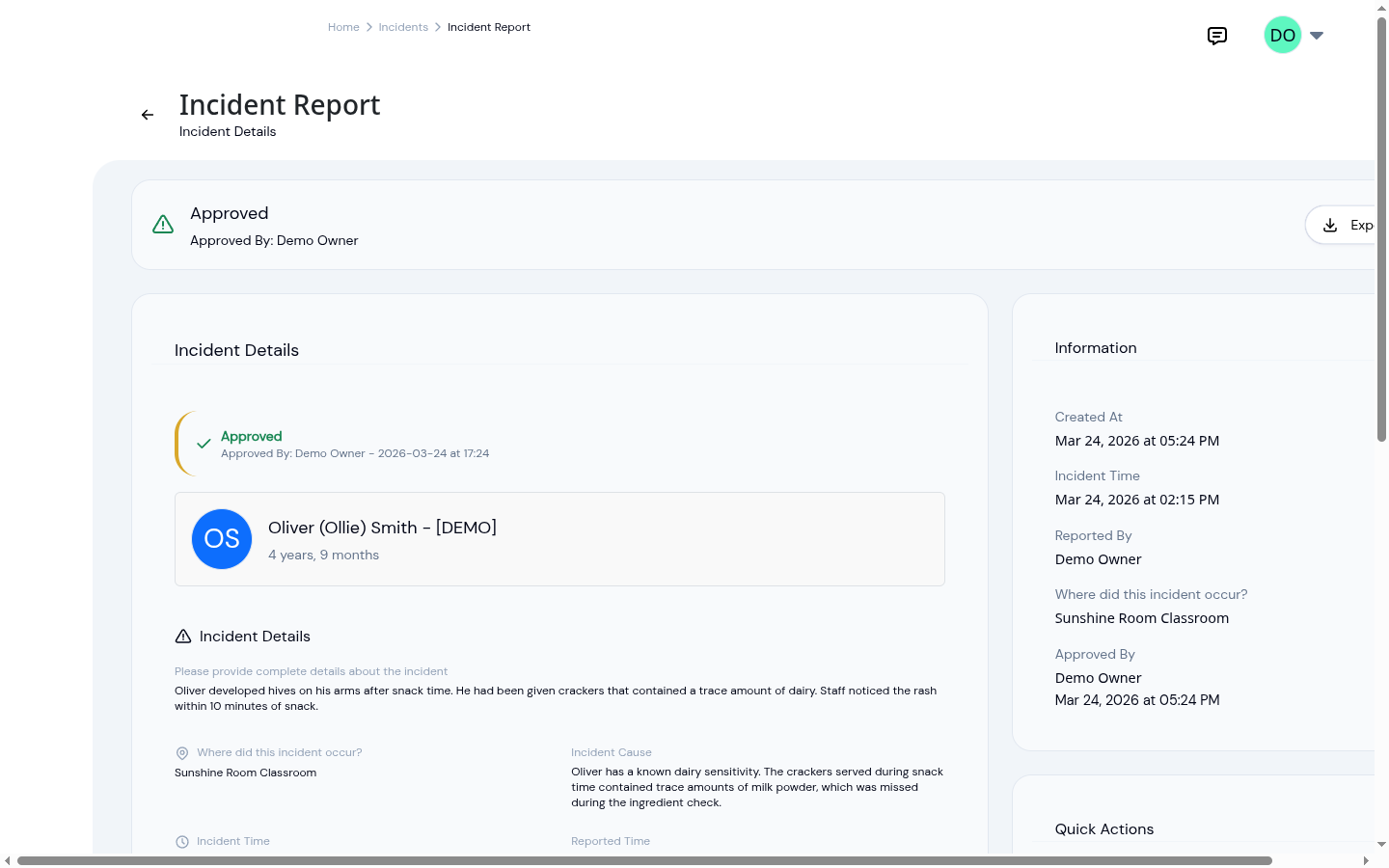
Each incident report captures the full picture: what happened, where, the cause, actions taken, whether emergency services were called, and whether the child was sent home. Classify every incident by type and severity so a scraped knee and a reportable allergic reaction never look the same, with reportable incidents flagged for licensing at a glance. Staff signatures, director approval notes, and parent notification status are all part of the record. When licensing asks for documentation, everything is already there.
Report Incidents in Minutes
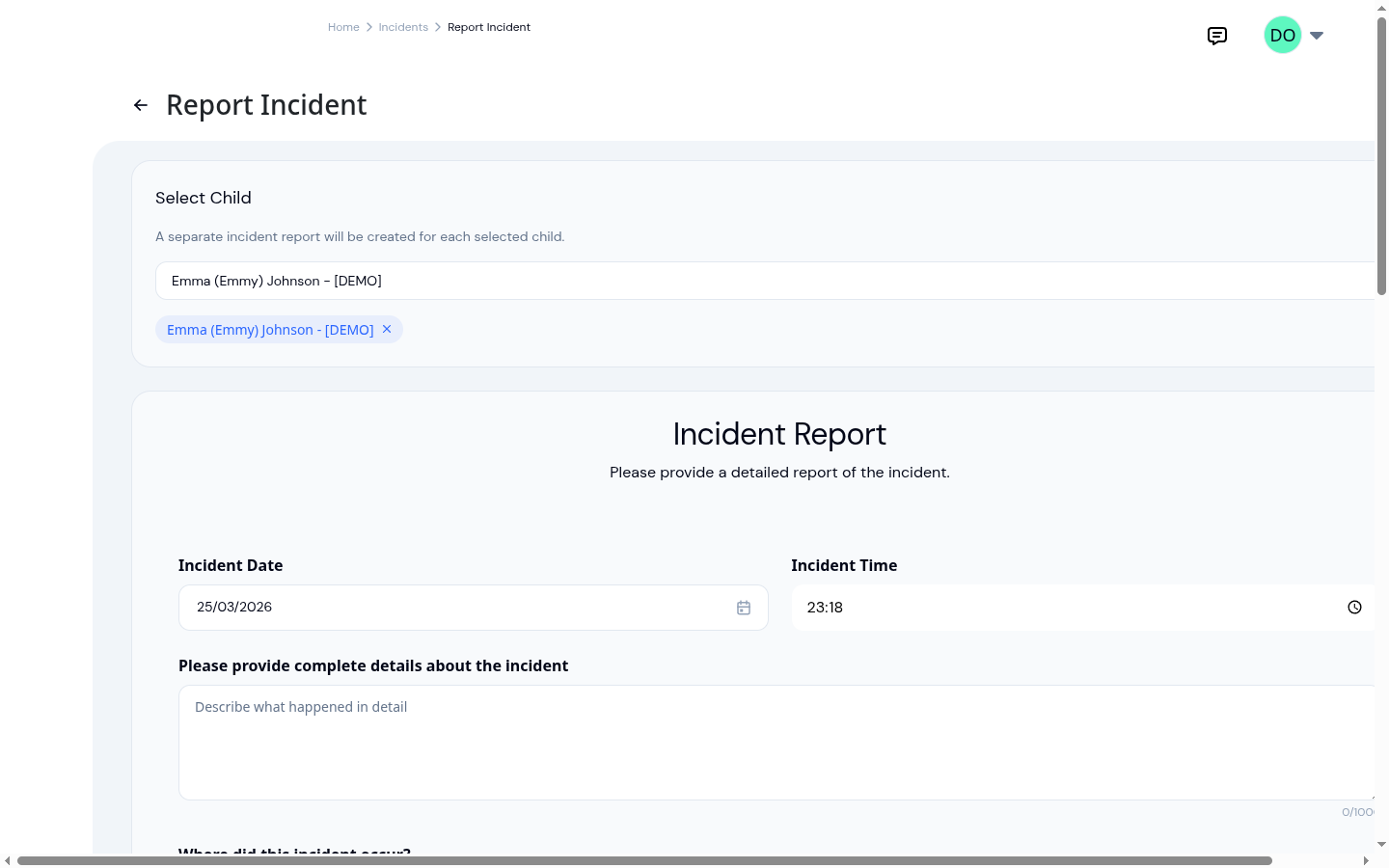
The structured form walks staff through every detail step by step: date and time, description, location, cause, actions taken, and more. Add photos for visual documentation and sign the report digitally. No more handwritten forms that are hard to read or missing key information. Staff complete the report while the details are still fresh.
A Signed Report You Can Defend
Before anyone signs, the report can be reviewed and corrected: teachers fix their own pending reports, and directors can edit any report before approving. Once it's signed off, the record locks. The exported report is a clean, printable PDF that includes the drawn signatures, signer names, and timestamps, exactly the document licensing inspectors and insurers expect to see.
Ready to Save Time and Simplify Your Daycare?
Create an account and get started in minutes.
- No credit card required
- Free until upgrade
What our customers say
We've been using KidzLog for a couple of months and we're very pleased. It's a massive improvement in pretty much every way over what we were doing before.
I'm very happy with KidzLog. It works nicely and is easy to use.
Frequently Asked Questions
Here are some of the most frequently asked questions about KidzLog
What information does the incident form capture?
How does the approval workflow work?
Can I export incident reports?
Can a report be corrected after it is approved?
What happens to a report filed by mistake?
Are parents notified automatically?
How long are incident records stored?
Experience the difference with KidzLog
No demos, no credit cards, no commitments. Just sign up and explore the difference KidzLog can make for your childcare center.