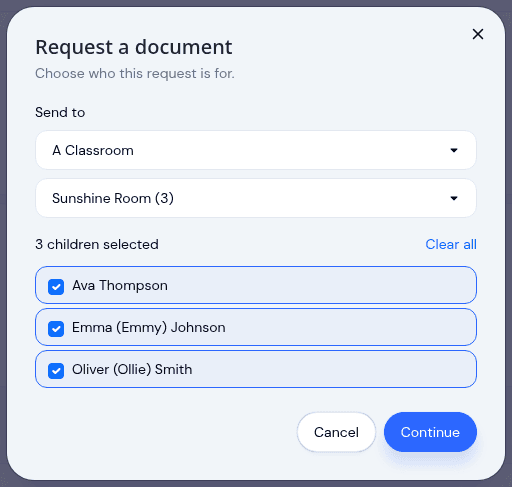
Send a document to a classroom, a program, or the whole center
A field trip form goes to one room. An updated handbook goes to everybody. Until now both meant the same thing: opening the request dialog and ticking children one at a time, hoping you had not missed the child who joined last week.
Now you pick the group.
Choose the room, check the list
Start a request and choose whether it is for individual children, a classroom, a program, or everyone at the center. Pick the group and KidzLog shows you the children it comes to, already selected.
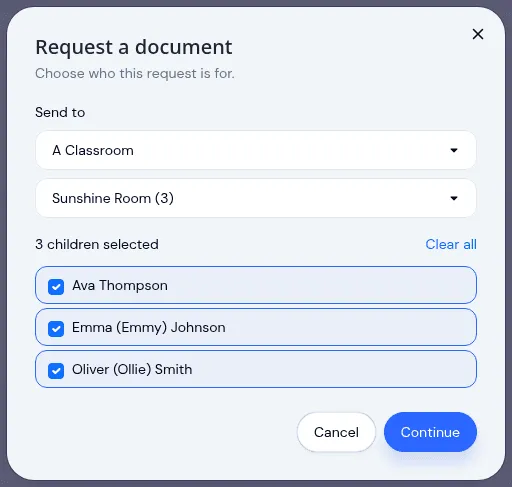
Seeing the list is the point. A room is a shorthand for a set of families, and shorthand is exactly where sends go wrong. One child is away for a month, another already returned the form on paper, so you take them off the list before sending rather than cancelling their request afterwards. The confirmation tells you how many families this actually emails.
Everything else about sending works as it did. You can send a single document or a whole packet, choose whether families sign in the app or upload a signed copy, and set a due date. A family who has not created their account yet keeps their place: the request waits, then sends itself as soon as they sign up.
One dashboard for what is outstanding
The requests dashboard groups everything by child, with a running count of what is outstanding and what is complete. Each request shows its status, and each step inside it shows its own, so a packet where one form is still missing reads as one form still missing, not as a vague half-finished pack.
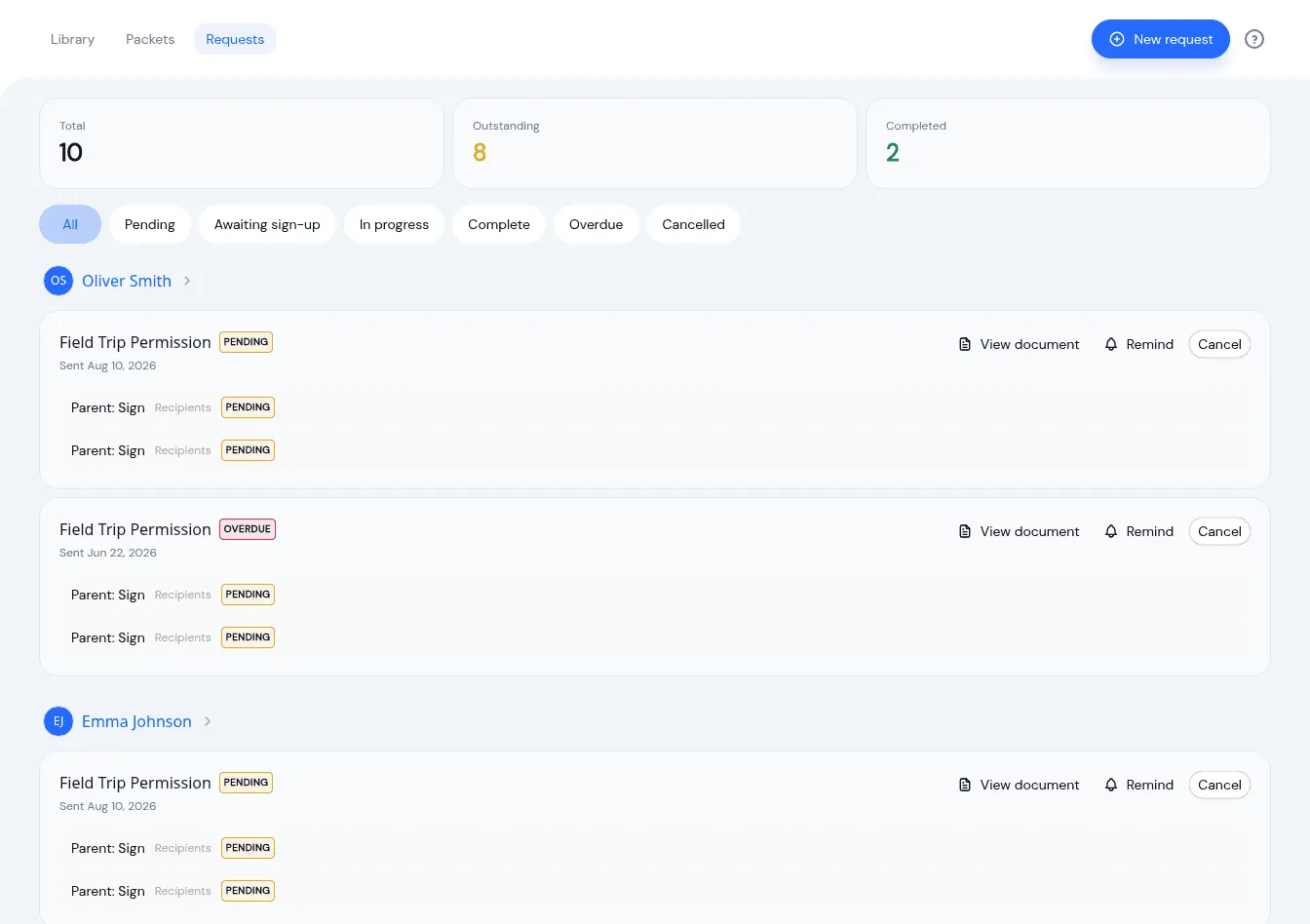
Send a reminder without writing an email. Cancel a request that is no longer needed. Filter down to just the overdue ones when it is time to chase.
Every document has a page of its own
Documents used to be rows in a list, which was fine until you needed to answer a simple question: what does this form actually say now, and what did the parents who signed last year sign?
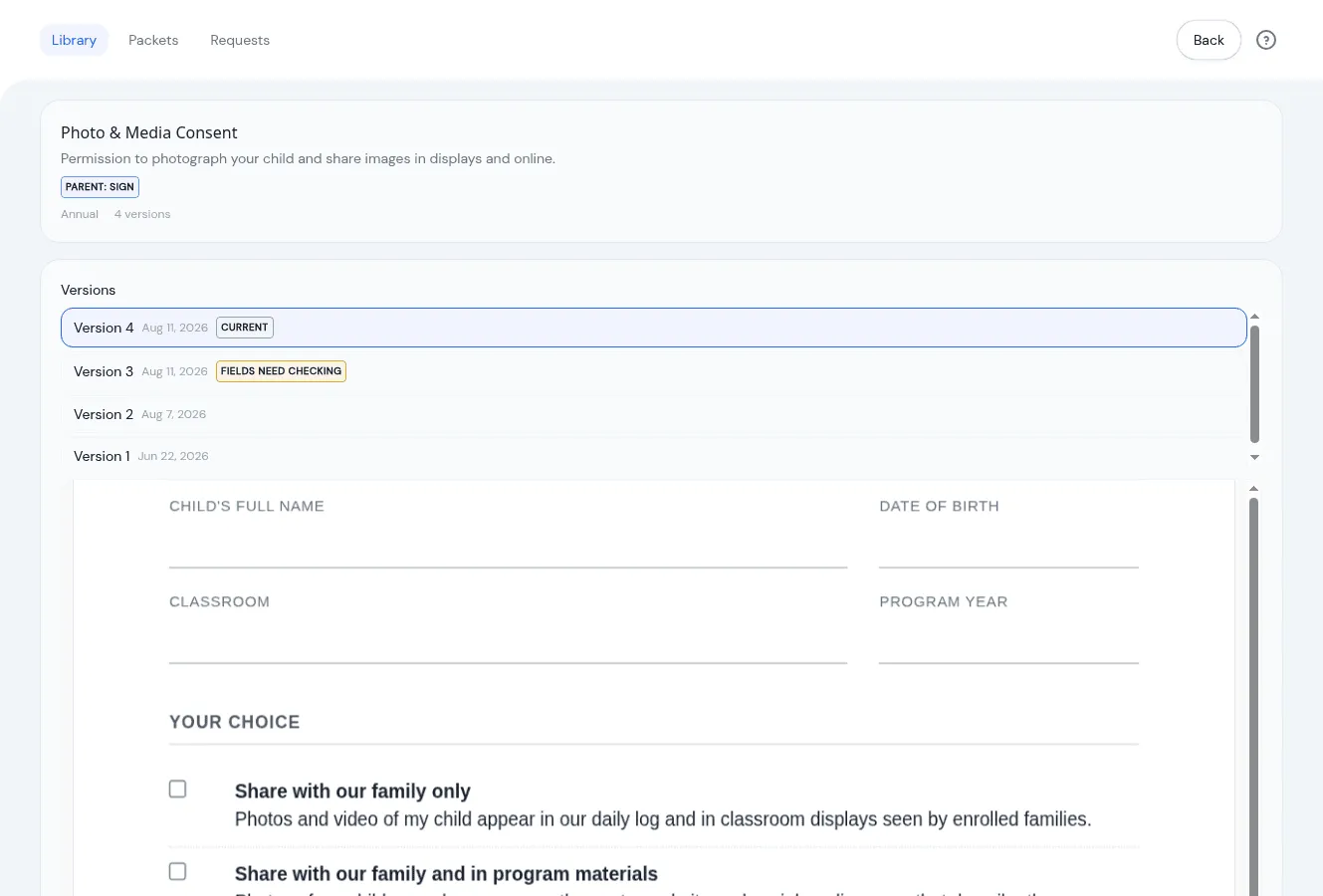
Each document now opens to its own page, with the current version rendered on screen and every earlier version listed beside it. The copies signed against an older version stay attached to that version, so a record from June is still a record of what was in front of that family in June.
Packets got the same treatment: a packet now names the forms inside it, so you can tell your new-family pack from your annual-renewal pack without opening both.
Getting started
Documents is an optional module, and if it is already on there is nothing to enable. Start a request from the Requests tab and the group options are in the first step.
The Documents feature page covers how the module fits together, and parents can now complete the form itself rather than signing a blank one, which pairs well with sending a form to a whole room at once.
Ready to Simplify and Organize your Daycare?
Get started with KidzLog today!
KidzLog Team
Related Articles
May Update: Video and Activity History
May brings video on daily activity logs, a searchable Activity History of who changed what, expanded notifications, and...
April Update: Menus, Allergies, Archiving
Plan weekly menus with one-tap meal logging, automatic allergy alerts, archive entire classes, switch between centers,...
March Update: Communication Hub and Enrollment
Reach parents by SMS, move children between programs in bulk, archive child profiles at graduation, and track...