Archive a Whole Class at Once
End-of-year rollover used to be a grind. Twenty graduating kids, twenty trips into the child detail page, twenty confirmations. Summer returners? Same story in reverse. We just shipped bulk archive and unarchive so you can handle a whole cohort in one motion.
How It Works
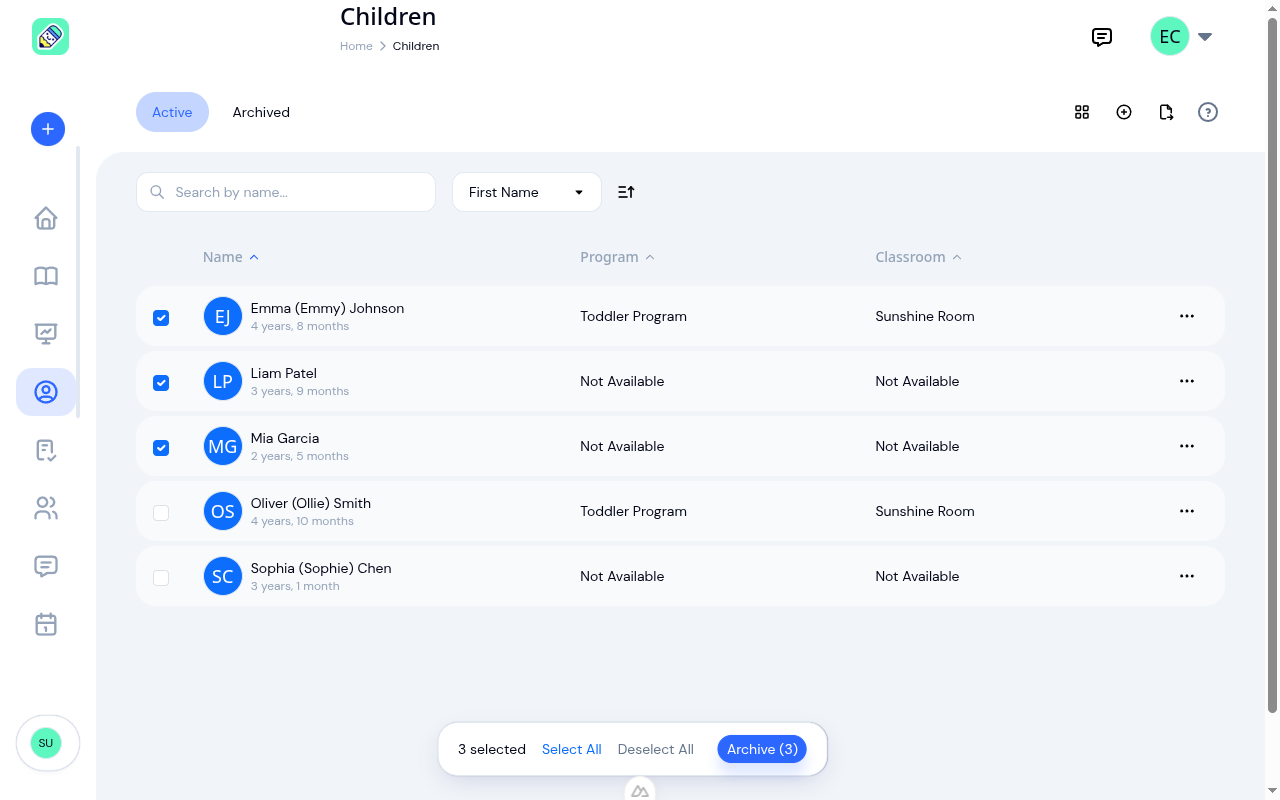
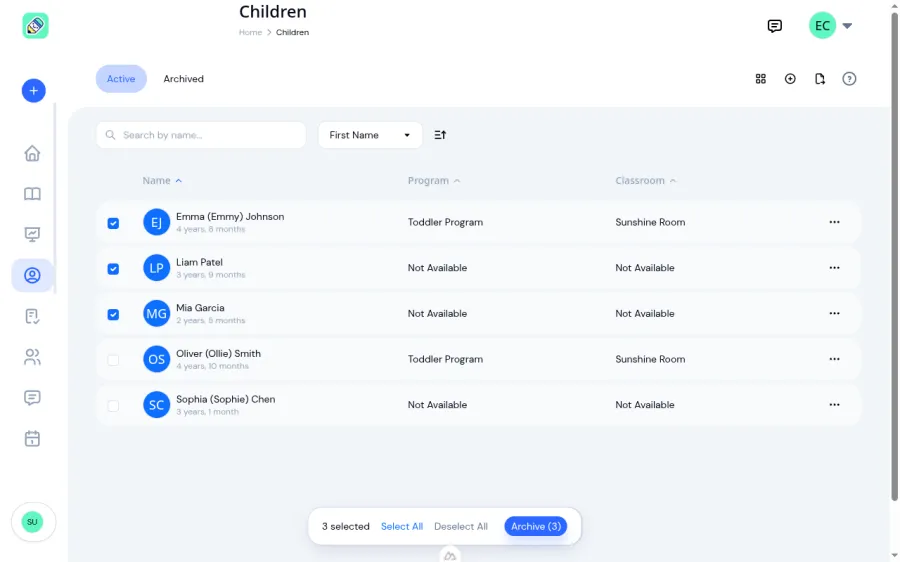
Head to Children → Active. Checkboxes now appear next to every row. Tick the ones you're graduating and the new action bar floats up at the bottom of the screen.
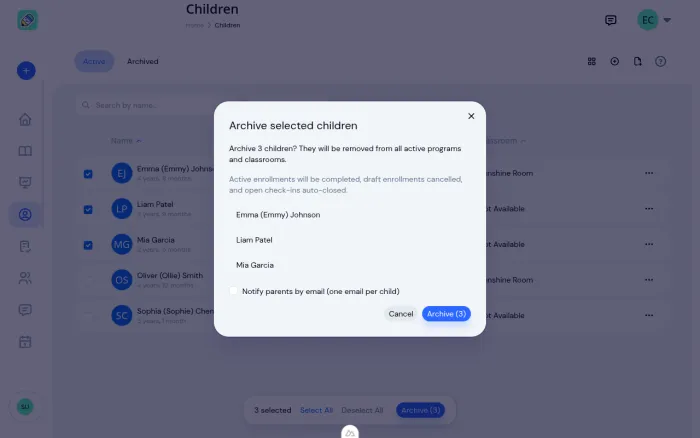
Click Archive and you'll see a confirmation that lists every child you're about to archive, names the cascade plainly, and gives you a single opt-in for parent notifications.
Confirm and every selected child is archived in one shot. Active enrollments complete, draft enrollments cancel, any open check-ins close automatically. You get a single summary toast: "3 children archived. 5 enrollments completed."
Flip to the Archived tab to unarchive a returning group the same way. Select, confirm, done. Grid view and list view both support selection, so use whichever fits your screen.
Safe by Design
A few deliberate limits kept this from turning into a spam or accident machine:
- Batch size cap: up to 100 children per request. Big enough for any reasonable rollover, small enough to avoid runaway actions.
- Notify parents is off by default on bulk archive. Turning it on would fire one email per parent per child. Fine for a single archive, email-flood territory at bulk. If you want parents notified, tick the checkbox in the confirmation modal and we'll queue the emails per child.
- Skip-invalid over fail-all: if one child in your selection was already archived or belongs to a different center, we skip that one and archive the rest. You get a clear breakdown in the toast ("10 archived, 2 skipped"), not an all-or-nothing failure.
- Capacity-aware unarchive: if you're on a plan that holds, say, 25 children and you try to restore 30, we'll unarchive as many as fit and tell you how many were skipped for capacity. No silent failures, and a clear upgrade path when you hit the ceiling.
Where This Fits
If you've ever dreaded September or the first week of January, this is for you. Pair it with the existing enrollment management flow and the child profiles tools, and the whole cohort transition is a few minutes of work instead of an afternoon.
Single-child archive still works exactly as before, from the list row action menu or inside the child detail page, so nothing changed for day-to-day corrections. Bulk is purely additive.
Ready to Simplify and Organize your Daycare?
Get started with KidzLog today!
KidzLog Team
Related Articles
September Update: Incident Reports and Records
Reopen and correct an approved incident report, choose when parents get the email, send families a note on declined...
August Update: Enrollments and Fillable Forms
Families apply from your center's own page, parents complete a whole PDF on their own device, and the attendance report...
New: Archive a Classroom, and Hide the Ratio Panel
Finished with a room after reenrollment? Archive it. The room leaves your dashboard, dropdowns and report filters, and...