Classroom Moves, Bulk Withdrawals & Batch Enrollment
Every center director knows the drill: summer rolls around and you need to withdraw 30 graduating kids, then enroll them all into new fall programs. Or it's 2 PM and you're shuffling three toddlers to the next room because a teacher called in sick. Either way, doing it one child at a time is painfully slow.
We've added bulk enrollment operations to KidzLog — select multiple children and move, withdraw, or enroll them all at once.
Moving Children Between Rooms
The most common daily task is moving a child from one classroom to another within the same program. Maybe you're balancing ratios, covering a room during nap time, or a child is transitioning to a new classroom permanently.
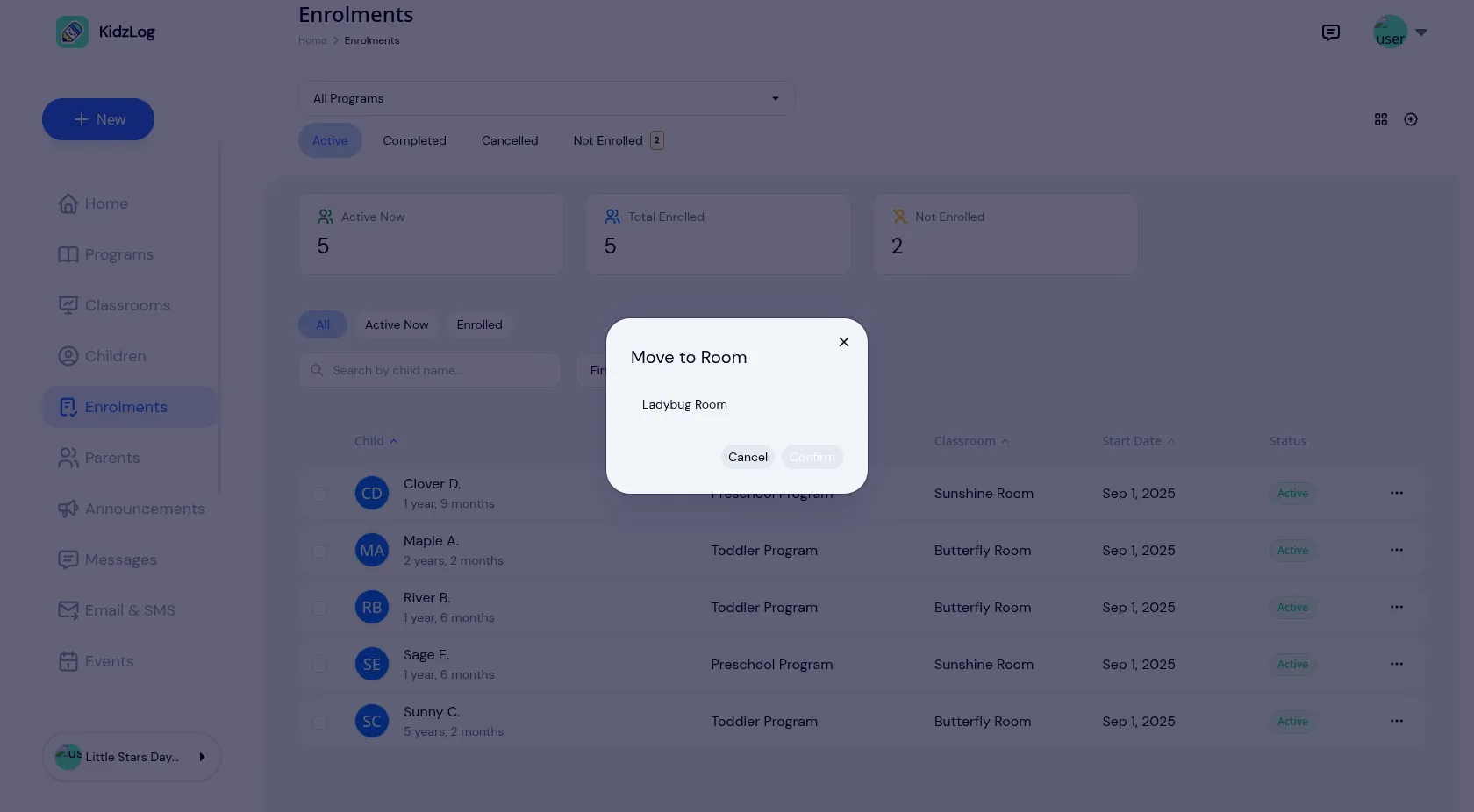
The new Move to Room action makes this a two-tap operation: open the menu on any enrollment, tap Move to Room, pick the classroom, done.
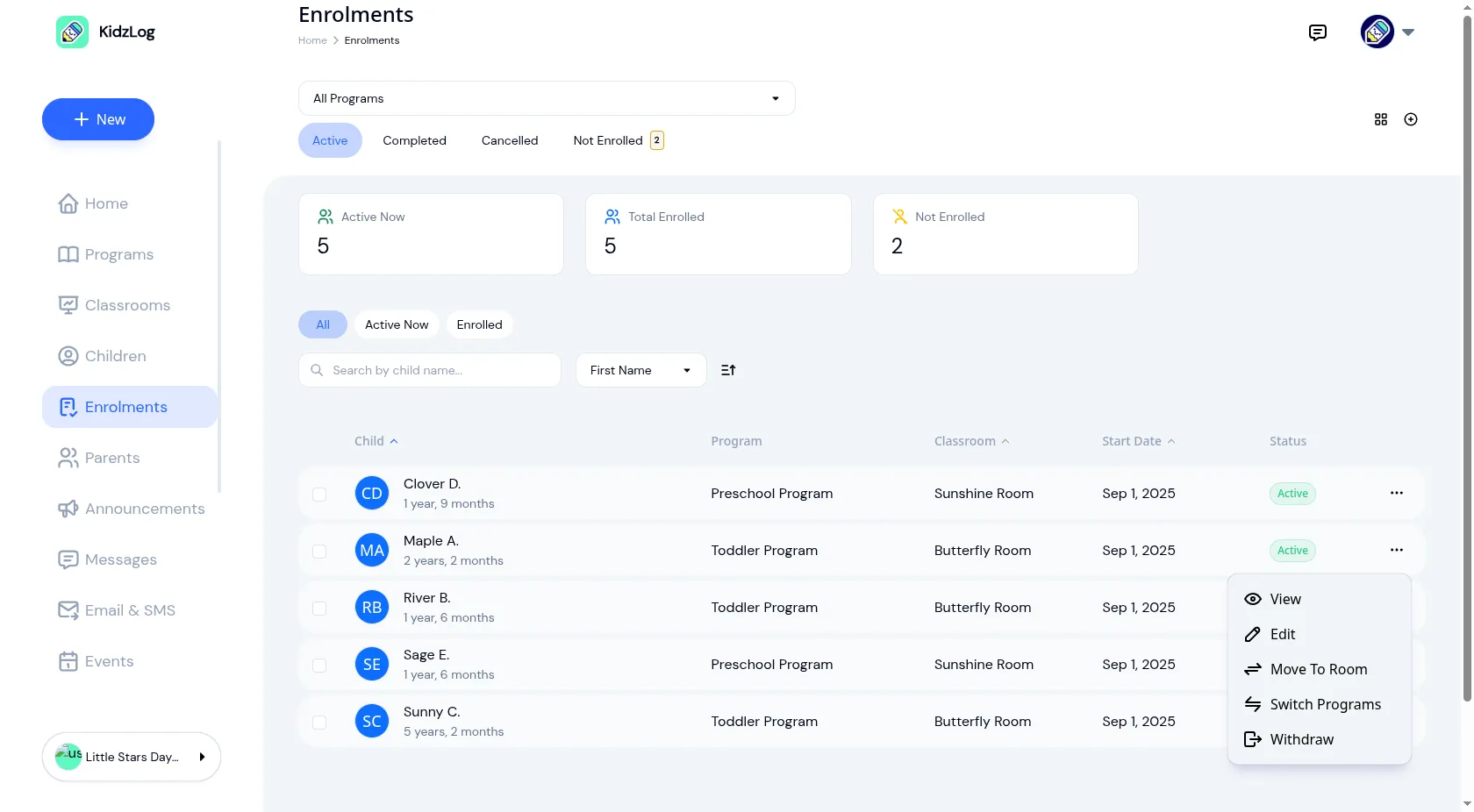
The modal only shows classrooms in the same program — no wading through rooms that don't apply. Need to move a child to an entirely different program (say, from Toddler to Preschool)? Use Switch Programs to select the new program, classroom, and fee schedule in one step.
Moved a child temporarily? A Return to Original Room shortcut shows up in the menu afterward — one tap to put them back, no need to remember which room they came from.
Bulk Moves and Withdrawals
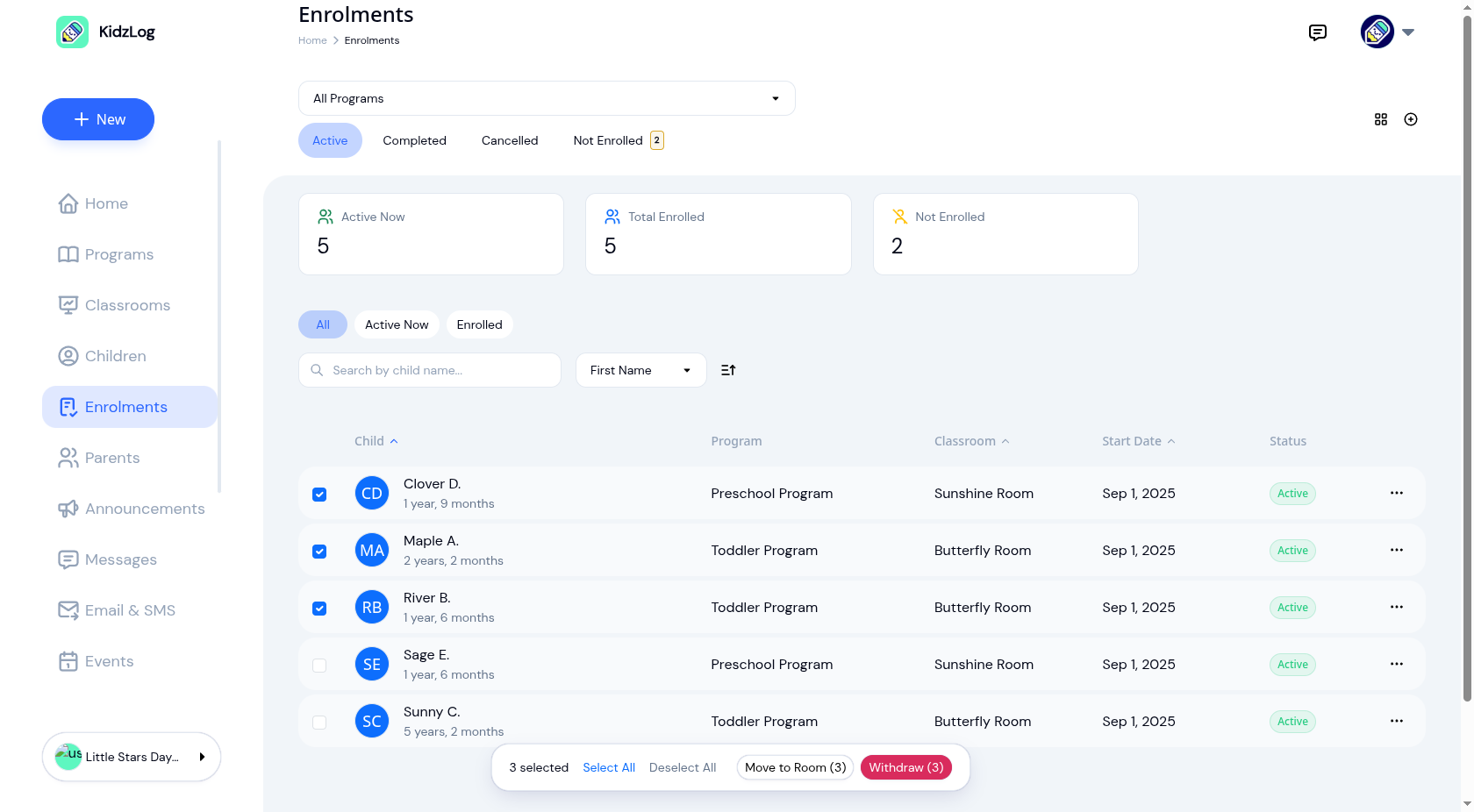
When you need to move or withdraw more than one child, the enrollment list now has checkboxes. Select the children, and a floating bar appears with your options:
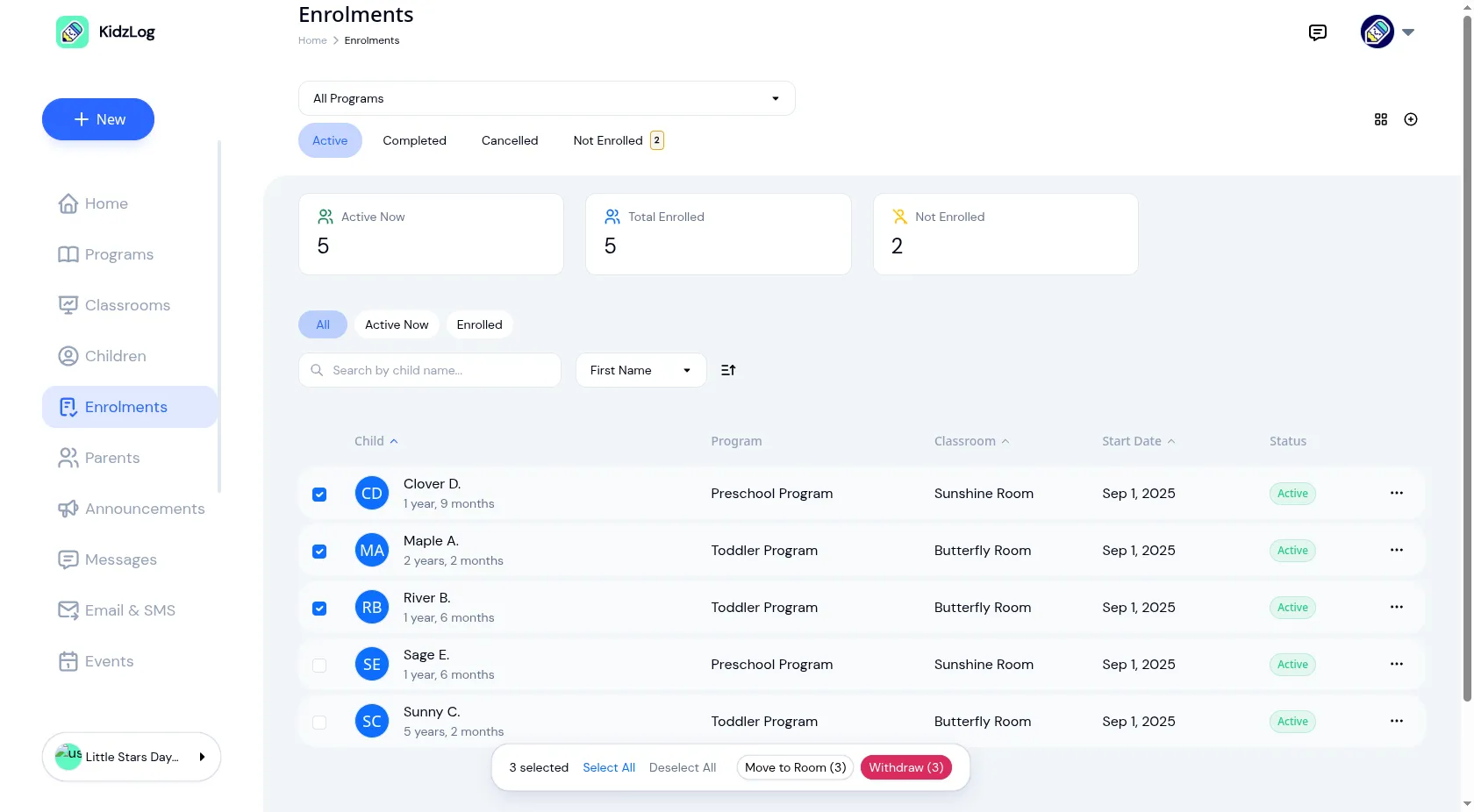
Move to Room lets you pick a target program and classroom, then moves everyone in one go. If some children are already in that classroom, they're simply skipped — you'll see a clear summary like "3 moved, 1 skipped" so nothing is left to guesswork.
Withdraw shows a confirmation listing every child, then cancels all their enrollments at once. For year-end transitions, this turns a 30-minute task into 30 seconds.
Enrolling a New Group of Children
The other side of year-end is the fall re-enrollment. The Not Enrolled tab lists every child in your center who doesn't currently have an active enrollment — perfect for spotting who still needs to be placed.
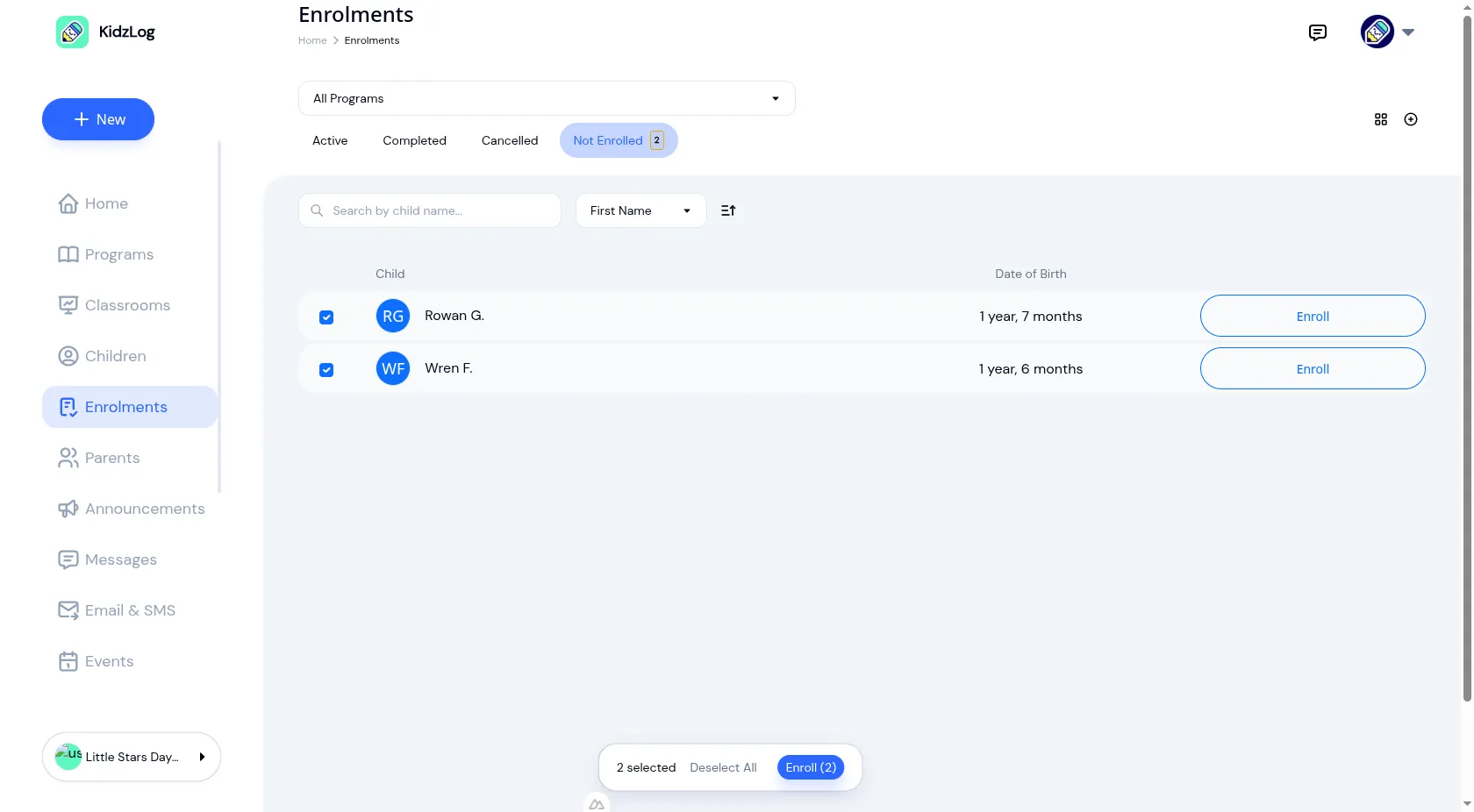
Select the children, tap Enroll, choose a program and classroom, set the start date, and they're all enrolled. If a child already has an enrollment in that program, they're skipped automatically — no duplicate enrollments, no manual checking.
You can also bulk enroll directly from a classroom page, where the program and classroom are already set. Just pick the children and confirm.
What Stays Safe
All of these operations are designed so you can move fast without worrying about mistakes:
- A child can never end up with two active enrollments in the same program
- Room moves verify the classroom actually belongs to the right program
- Every move, withdrawal, and enrollment is recorded in the audit log with timestamps and who made the change
- Everything works on desktop, tablet, and mobile — the action bar stays accessible on any screen size
When You'll Use This
- Year-end transitions: Withdraw the graduating class in one batch, then bulk-enroll them in the next program for fall
- Ratio management: Quick-move children between rooms during the day and reverse it with Return to Original Room
- New cohort setup: A new group of children starts next month — enroll them all at once instead of one at a time
- Program upgrades: Move children from Toddler to Preschool with Switch Programs as they age up
These bulk operations build on KidzLog's full enrollment management system, where you set up programs, classrooms, capacity limits, and waitlists before the first child is ever placed.
Ready to Simplify and Organize your Daycare?
Get started with KidzLog today!
KidzLog Team
Related Articles
September Update: Incident Reports and Records
Reopen and correct an approved incident report, choose when parents get the email, send families a note on declined...
August Update: Enrollments and Fillable Forms
Families apply from your center's own page, parents complete a whole PDF on their own device, and the attendance report...
New: Archive a Classroom, and Hide the Ratio Panel
Finished with a room after reenrollment? Archive it. The room leaves your dashboard, dropdowns and report filters, and...