Enrollment Reports: Filters, History, and Exports
Three questions that used to mean an export-and-pivot detour:
- "How did Toddler Program enrollments trend over the last six months?"
- "Show me everyone who withdrew from Butterfly Room this year."
- "Can you send me a CSV of all enrollments from the spring intake?"
The enrollment report now answers each one directly.
Charts that respond to your filters
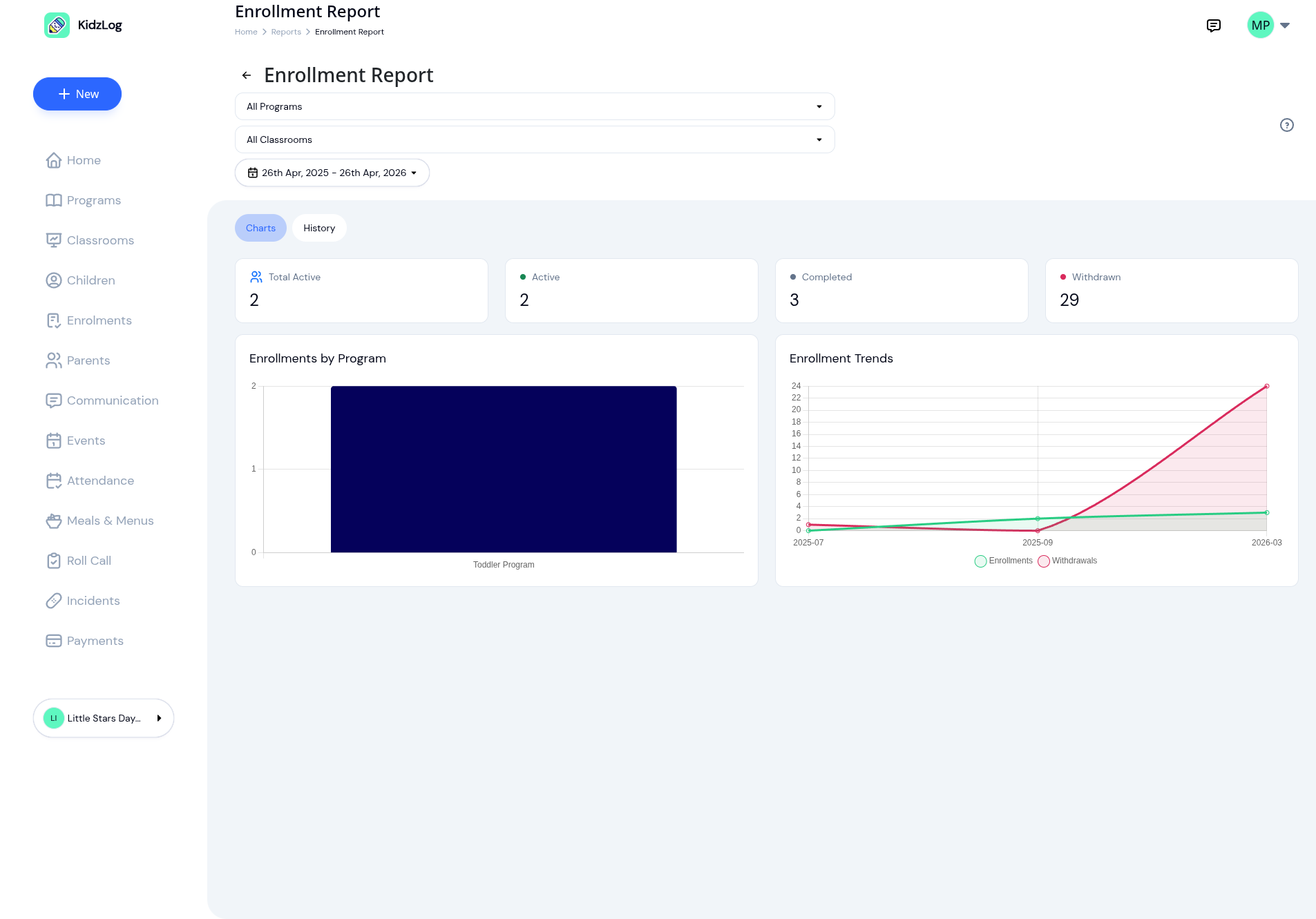
The Charts tab still leads with the four KPIs you already use (Total Active, Active, Completed, Withdrawn), alongside enrollments by program and the rolling enrollment-vs-withdrawal trend line.
What's new: every chart and KPI now narrows when you filter. Pick a program, a classroom, or a date range and the visualisations recompute against that slice. Comparing fall enrollment to winter is a two-click date-range change, not an export-and-pivot project.
A history tab that shows every status
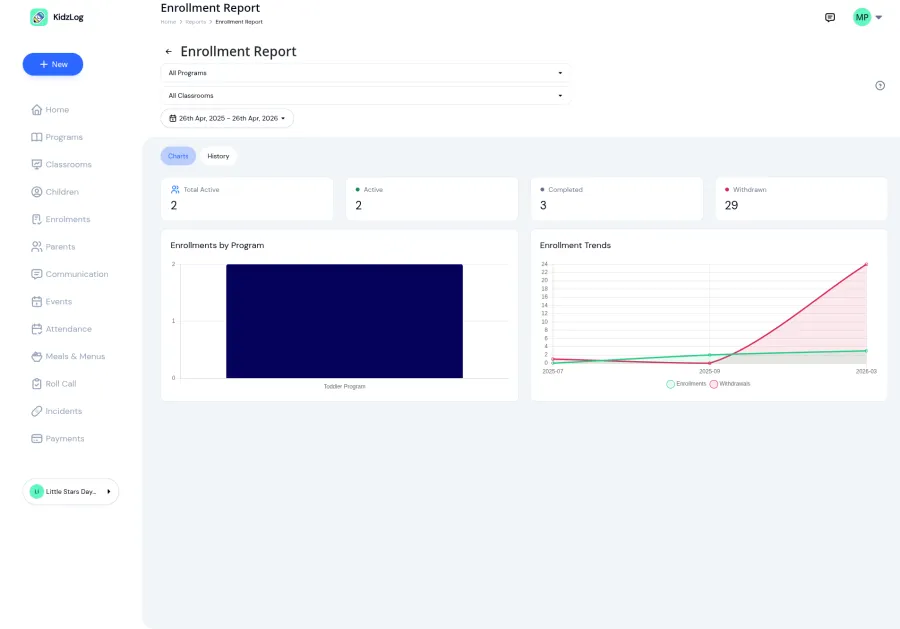
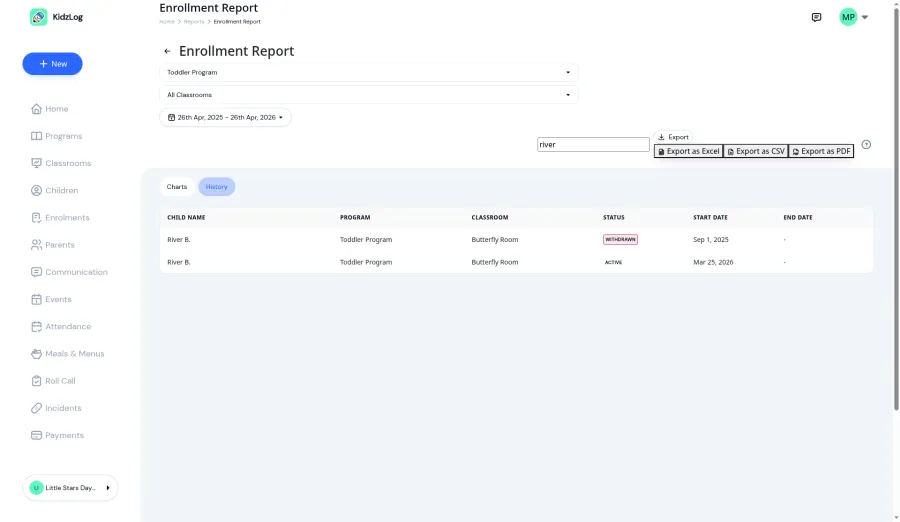
The new History tab is a paginated table of individual enrollments, with child name, program, classroom, status, and start/end dates, across every status. Active, Completed, Withdrawn, and Draft enrollments all surface so you can see the full record of a child's time in your center, not just their current placement.
Status badges are colour-coded so you can scan a long list and spot the rows you care about without reading every cell.
Search and exports
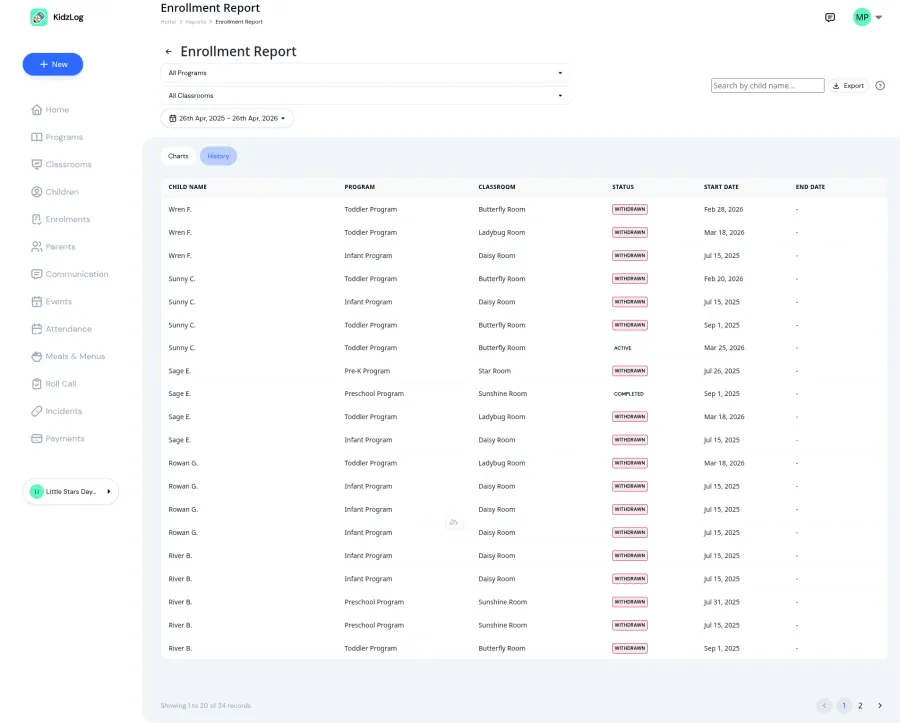
Type a name into the search box and the table filters server-side as you type. Combine search with a program, classroom, and date filter to zero in on exactly the slice you want.
Once you've got it, the Export menu gives you three options: CSV for spreadsheets and follow-up email lists, Excel for sharing with families or licensing bodies, and PDF for a clean printable record.
A bonus on child profile pages
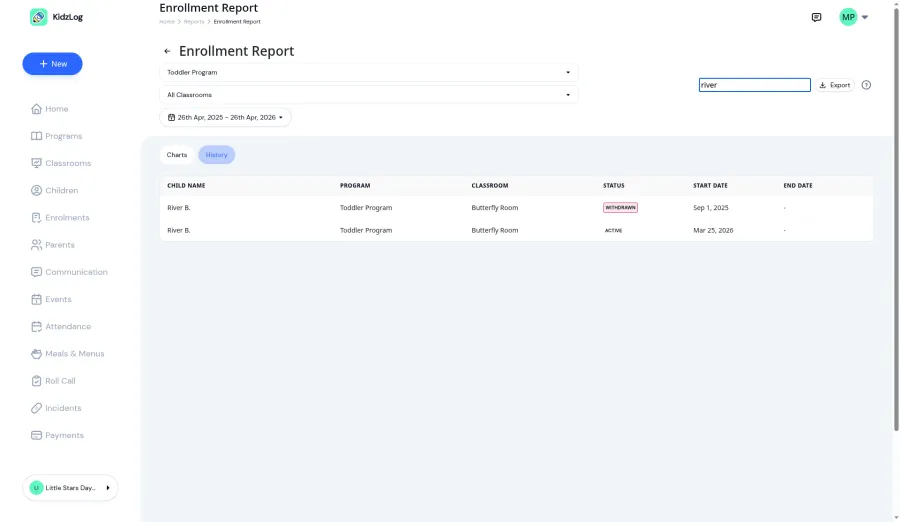
Same update unlocks something on the child profile page: it now shows a child's full enrollment history, not just the active placement. The UI was already designed for this (colour-coded status labels, Edit and Withdraw actions only on active rows), but a backend default was silently filtering out completed and withdrawn records. Lifting that default surfaces years of context for anyone reviewing a child's journey through your programs.
Available now
Live for Owners and Admins on every plan. No setup needed: visit Reports → Enrollment Report and start filtering.
If you've been keeping enrollment records in a spreadsheet alongside KidzLog because the old report didn't go deep enough, this is the update that lets you retire it.
Ready to Simplify and Organize your Daycare?
Get started with KidzLog today!
KidzLog Team
Related Articles
September Update: Incident Reports and Records
Reopen and correct an approved incident report, choose when parents get the email, send families a note on declined...
August Update: Enrollments and Fillable Forms
Families apply from your center's own page, parents complete a whole PDF on their own device, and the attendance report...
New: Archive a Classroom, and Hide the Ratio Panel
Finished with a room after reenrollment? Archive it. The room leaves your dashboard, dropdowns and report filters, and...