

Communication Overview
The Communication page is your center's messaging hub. It brings announcements, conversations, and SMS history together in one place with a simple tabbed layout.
How to Access
Click the Communication icon in the sidebar (speech bubble icon).
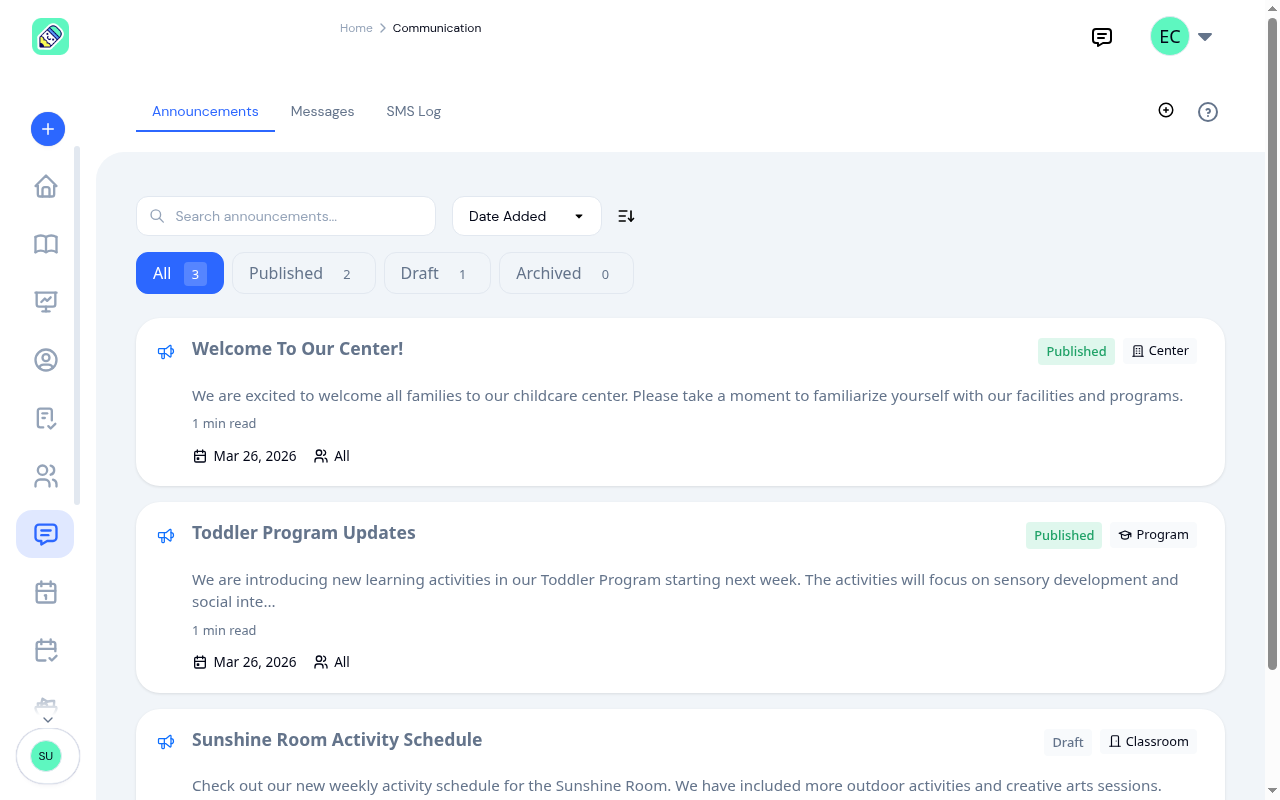
Tabs
The communication hub is organized into tabs across the top. Which tabs you see depends on your role and which modules are enabled for your center.
Admin / Owner
Admins and owners see up to three tabs:
- Announcements (default) — Create and manage center-wide announcements with optional SMS alerts. See Announcements for details.
- Messages — One-on-one conversations with parents and team members. See Messages for details.
- SMS Log — A read-only history of all SMS messages sent from your center. See SMS Log for details.
Teacher
Teachers see up to two tabs:
- Messages (default) — Conversations with parents and other staff
- Announcements — View-only access to center announcements (only visible if the Announcements module is enabled)
Teachers cannot create or edit announcements, and do not have access to the SMS Log.
Parent
Parents see two tabs:
- Announcements (default) — View announcements published to them by the center
- Messages — Send and receive messages with teachers and staff
Parents do not have access to the SMS Log.
Module Visibility
Each tab is tied to a module. If a module is disabled in your center's settings, its tab is hidden:
- The Announcements tab requires the Announcements module
- The Messages tab requires the Conversations module
The SMS Log tab (admin only) is always visible and does not depend on a module toggle.