
Events & Announcements
The Events and Announcements pages keep you informed about what's happening at your center — upcoming activities, schedule changes, and important notices.
Events
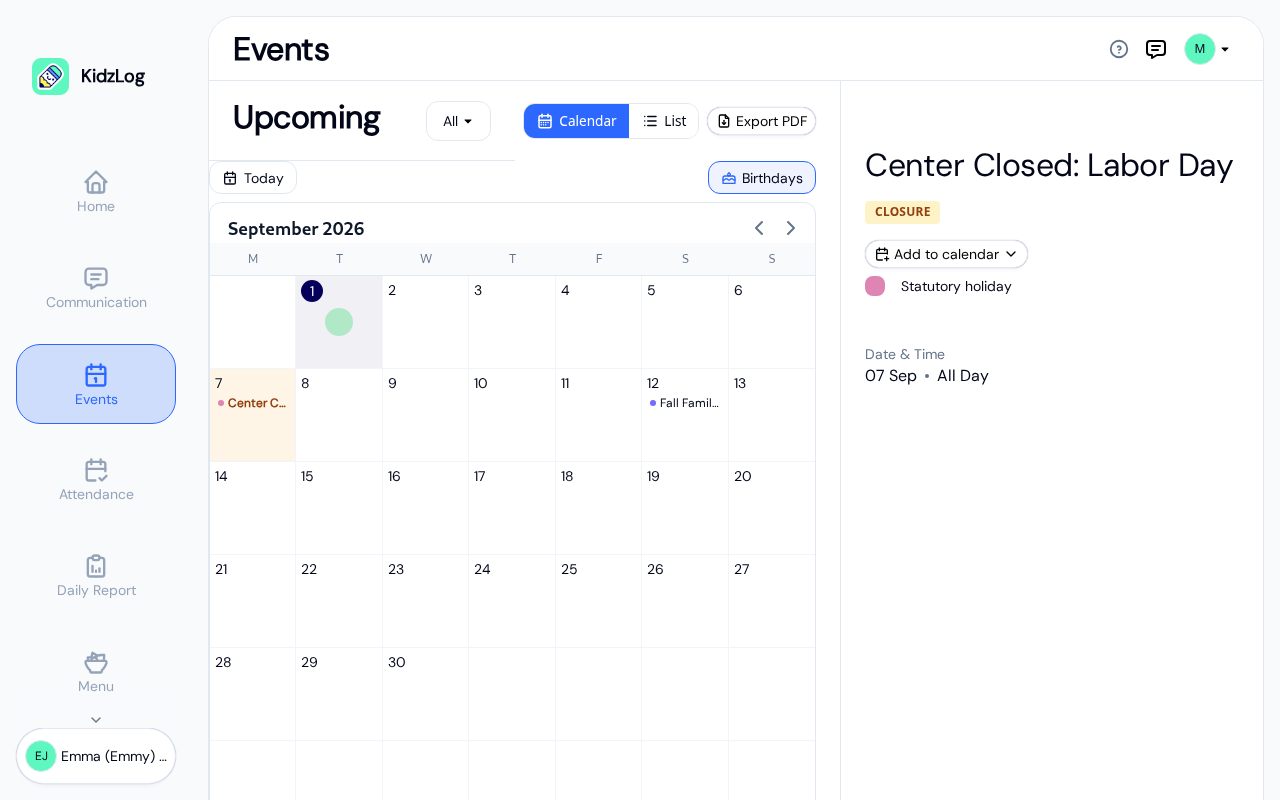
Open the Events page from the sidebar to see what's coming up at your center. You only see events meant for your family: center-wide events plus events for your children's own classrooms and programs.
Calendar and list views
The page opens in Calendar view on a computer and List view on a phone. Use the Calendar / List toggle at the top to switch. Use Today to jump back to the current month and the arrows by the month name to move between months. Turn on Birthdays to see your children's birthdays on the calendar.
In Calendar view, click an event to open its details in the side panel. In List view, events are grouped by month and you can filter them by type using the event-type dropdown at the top.
Viewing event details and adding to your calendar
Open any event to see its date and time (or "All day"), location, and description. To keep it in your own calendar app, use Add to calendar:
- Download .ics file — opens in Apple Calendar, Outlook, and most calendar apps
- Google Calendar — opens Google Calendar with the details filled in
- Add series to calendar — for a repeating event, adds every occurrence at once
Saving the month as a PDF
From Calendar view, click Export PDF to save a printable copy of the month you're viewing. KidzLog asks you to confirm first (the file can include children's names), then creates a landscape, print-friendly calendar of your family's events for that month, with any days the center is closed clearly marked.
Announcements
Announcements from your center appear in two places:
- Dashboard Announcements tab — On the Home page, switch to the Announcements tab to see recent announcements inline
- Communication page — Tap Communication in the sidebar and open the Announcements tab for the full list
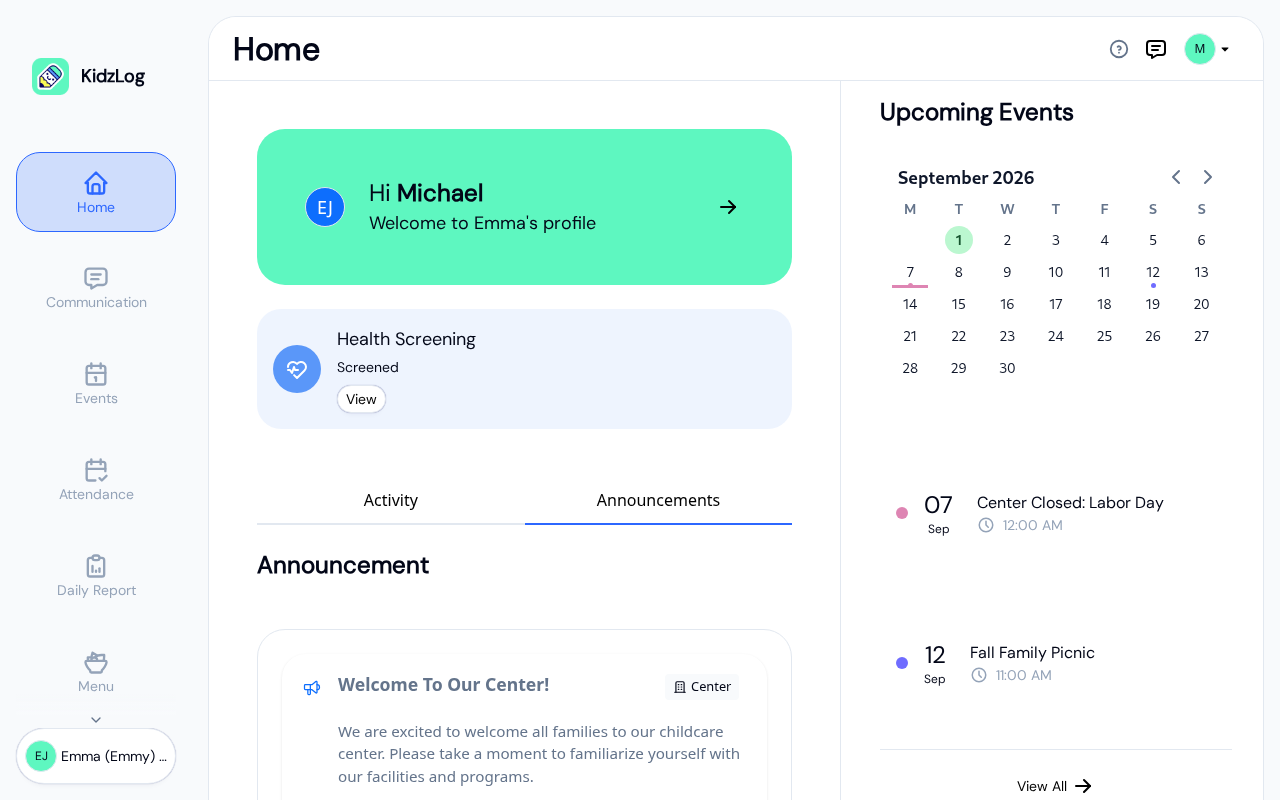
Each announcement card shows:
- Title — The announcement headline
- Scope — Whether it's center-wide, for a specific program, or classroom
- Preview — A snippet of the announcement content
- Date — When it was published
- Audience — Who it was sent to (e.g., "All")
Tap an announcement to read the full content.
Frequently Asked Questions
If your center has email notifications enabled, you'll receive an email when a new announcement is published. You can also check the Announcements tab on your dashboard for the latest updates.
Yes. Switch to List view, where status tabs let you choose between Upcoming, Past, Today, or All events. In Calendar view, use the month arrows to look back at earlier months.