
Child Overview
The Child Overview page gives you a read-only view of your child's profile as maintained by the center. You can see basic information, emergency contacts, and health records.
How to Access
From the Dashboard
Tap the arrow icon on the child profile greeting card at the top of the Home page.
From the Sidebar
Tap your child's name at the bottom of the sidebar, then tap View Child Profile (or tap the arrow on the greeting card after switching children).
What You'll See
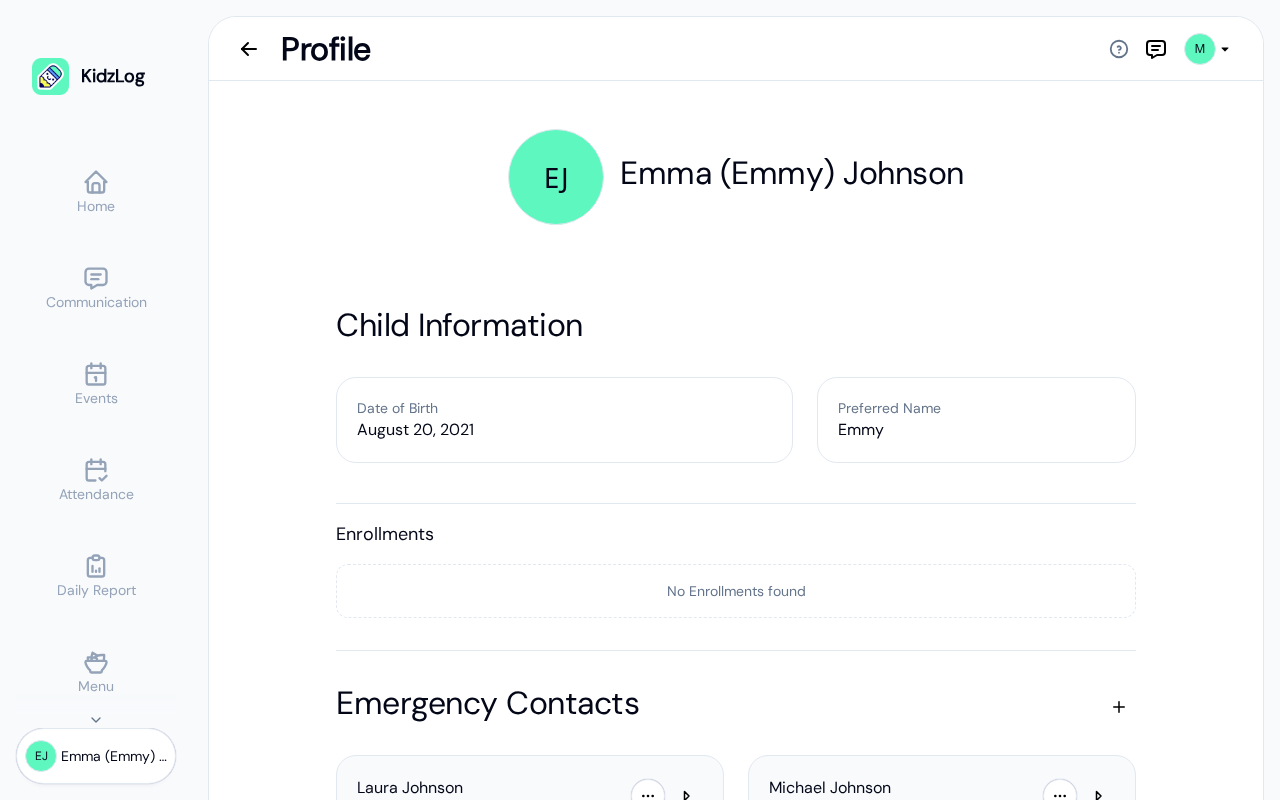
The profile page displays the following sections:
Child Information
- Name — Your child's full name and preferred name (nickname)
- Date of Birth — Your child's date of birth
- Enrolments — Programs and classrooms your child is enrolled in, with start dates
Emergency Contacts
A list of emergency contacts on file for your child, showing their name and relationship (e.g., Mother, Father). You can tap the phone icon to call a contact directly, or tap the arrow to view their full details.
Health Information
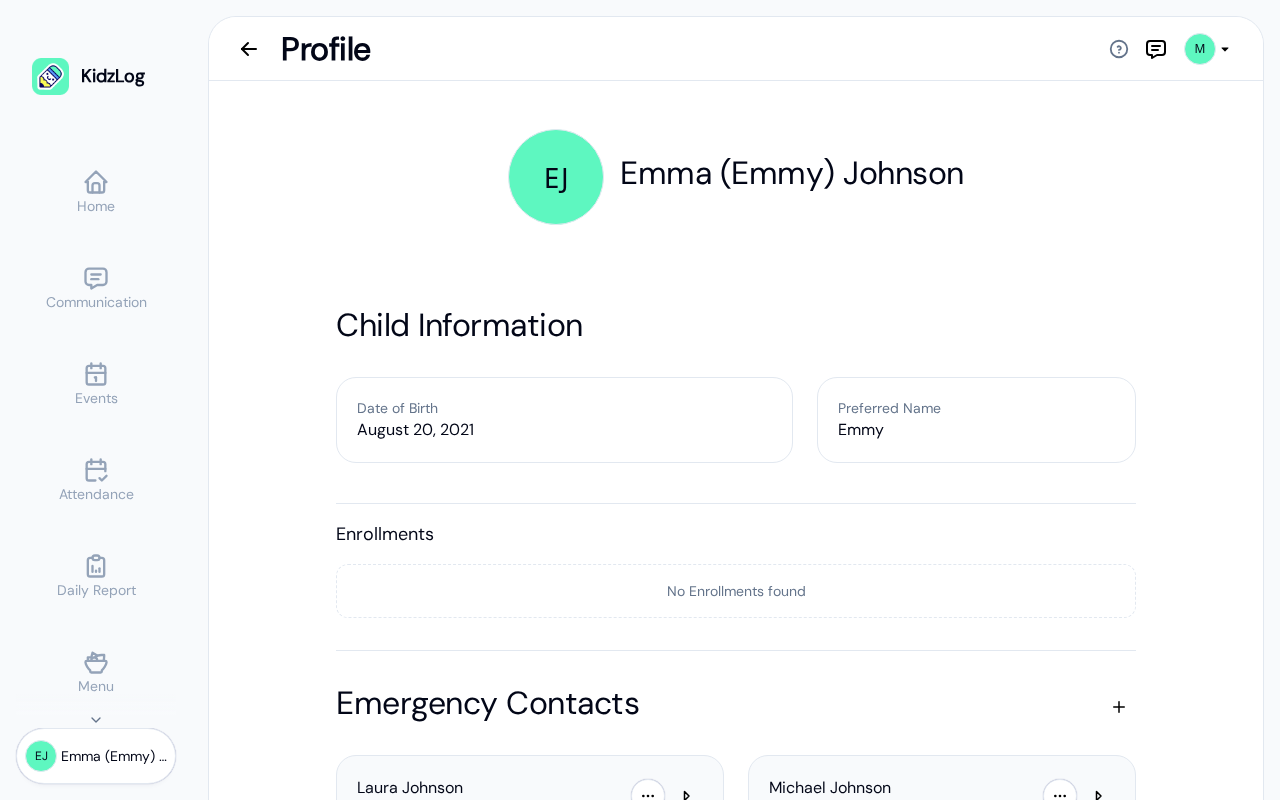
Health records are organized into three categories:
- Medical Conditions — Any known conditions (e.g., Eczema, Asthma)
- Immunizations — Vaccination records (e.g., DTaP, MMR)
- Allergies — Food or environmental allergies (e.g., Dairy, Peanuts)
Frequently Asked Questions
The child profile is primarily managed by your center's staff. You can add emergency contacts and health records, but basic information like name and date of birth is updated by administrators.
Go back to the Home page and use the child switcher at the bottom of the sidebar to select a different child, then tap the arrow on the greeting card.