

Activity Logging Overview
Activity logging lets staff record a child's daily activities — meals, sleep, bathroom visits, mood, and learning achievements. These entries form the Daily Report that parents can view in the Parent Portal.
How to Access
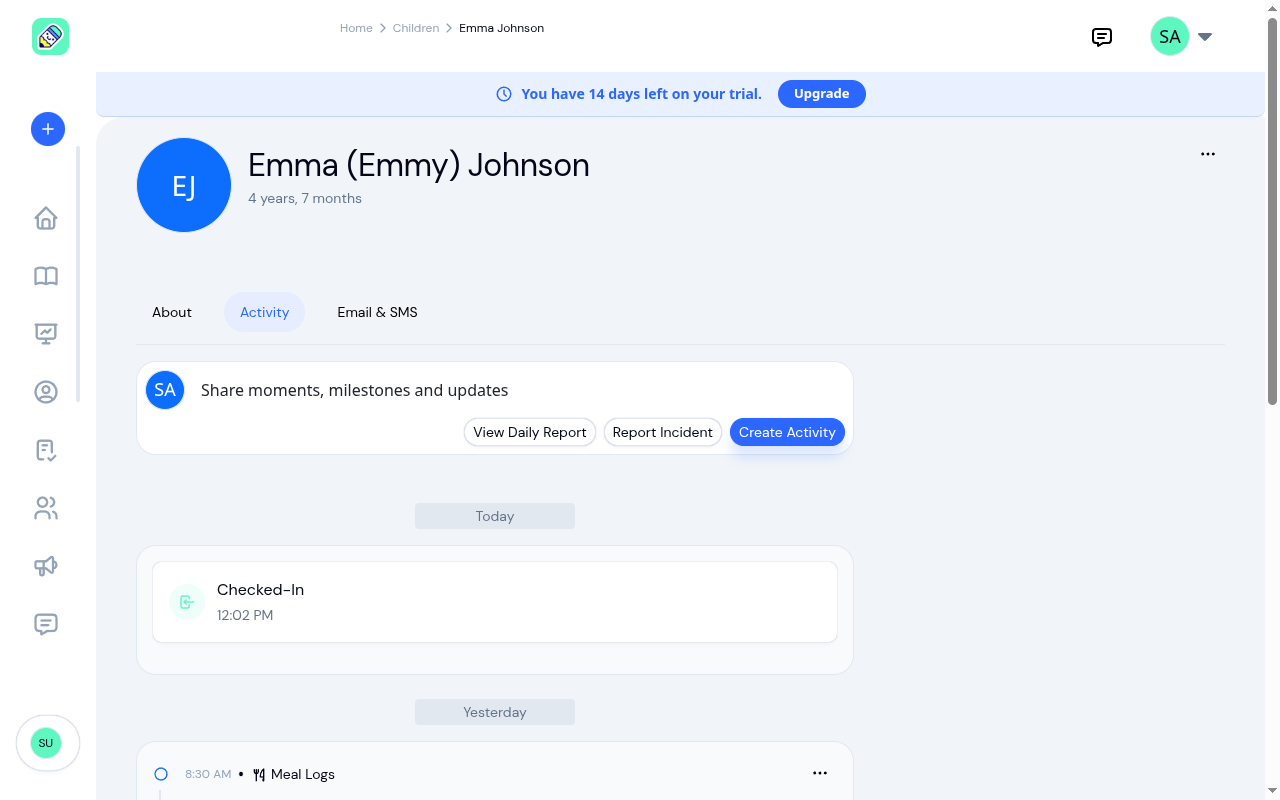
Navigate to Children → select a child → click the Activity tab.
Activity Feed
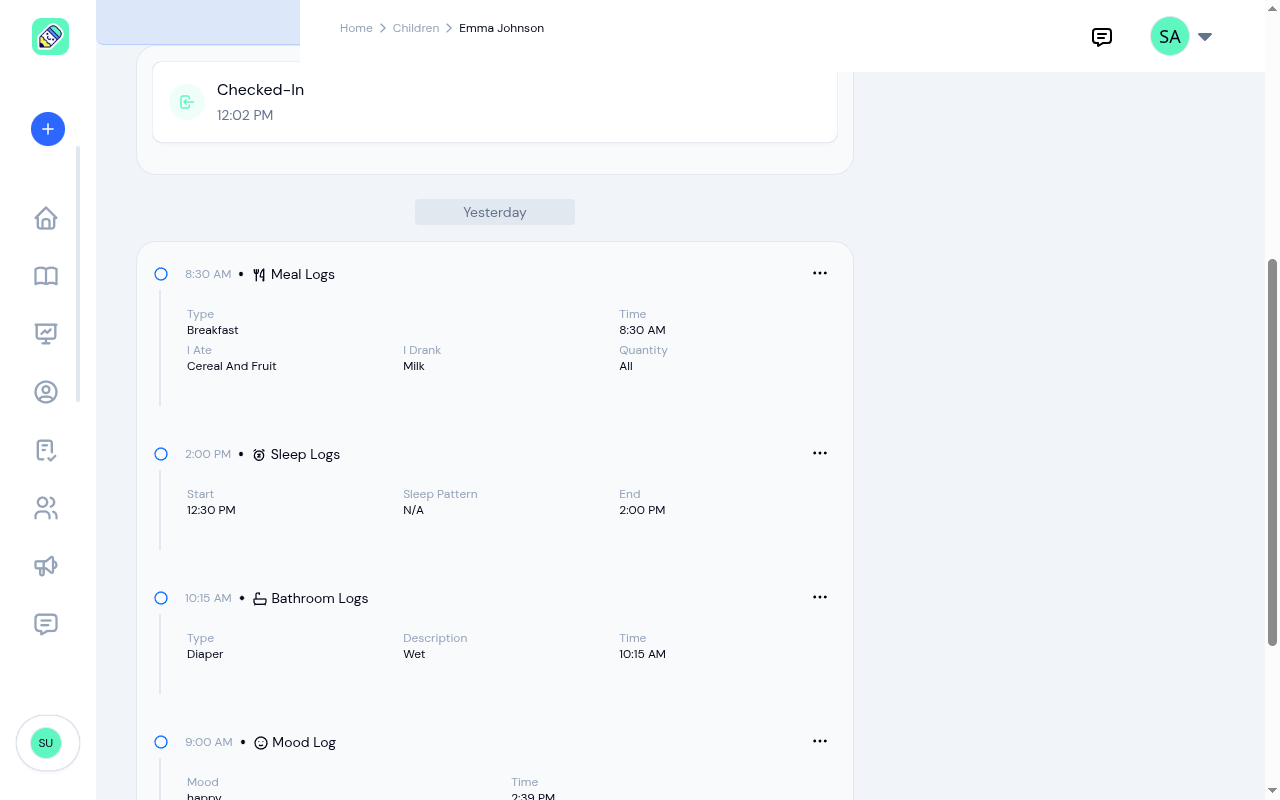
The Activity tab shows a chronological feed of all logged activities, grouped by date. Each entry displays:
- Activity type with icon (Meal, Sleep, Bathroom, Mood, Learning Achievement)
- Timestamp when the activity occurred
- Details specific to the activity type
- Actions menu (...) to edit or delete the entry
Available Actions
From the Activity tab, you can:
- View Daily Report — see a structured daily summary organized by activity type
- Report Incident — log an incident for this child (only shown when the Incidents module is enabled)
- Create Activity — add a new activity entry
Activity Types
When you create an activity, you choose from these types:
- Bathroom Logs — type (Diaper Change or Potty), description (Wet, Dry, or BM), and time
- Meal Logs — meal type, menu items, food eaten, drink, and how much was eaten
- Sleep Logs — sleep start and end time, and sleep pattern
- Mood Log — emotional state (Happy, Sad, Calm, and more) shown with an emoji icon
- Medication — medication name, dosage, and time
- Notes — a free-text observation
- Learning Achievement — skill area and a description of the milestone
- Rewards — a star rating and the reason for the recognition
- Photo — a photo to document a moment from the day
- Video — a video clip to capture a moment from the day
Daily Report
The Daily Report is a structured view of all activities for a specific date, organized by category. It includes attendance and health screening records alongside the logged activities. Navigate between dates using the date navigator, and click Print Report to open your browser's print dialog (where you can print the report or save it as a PDF).
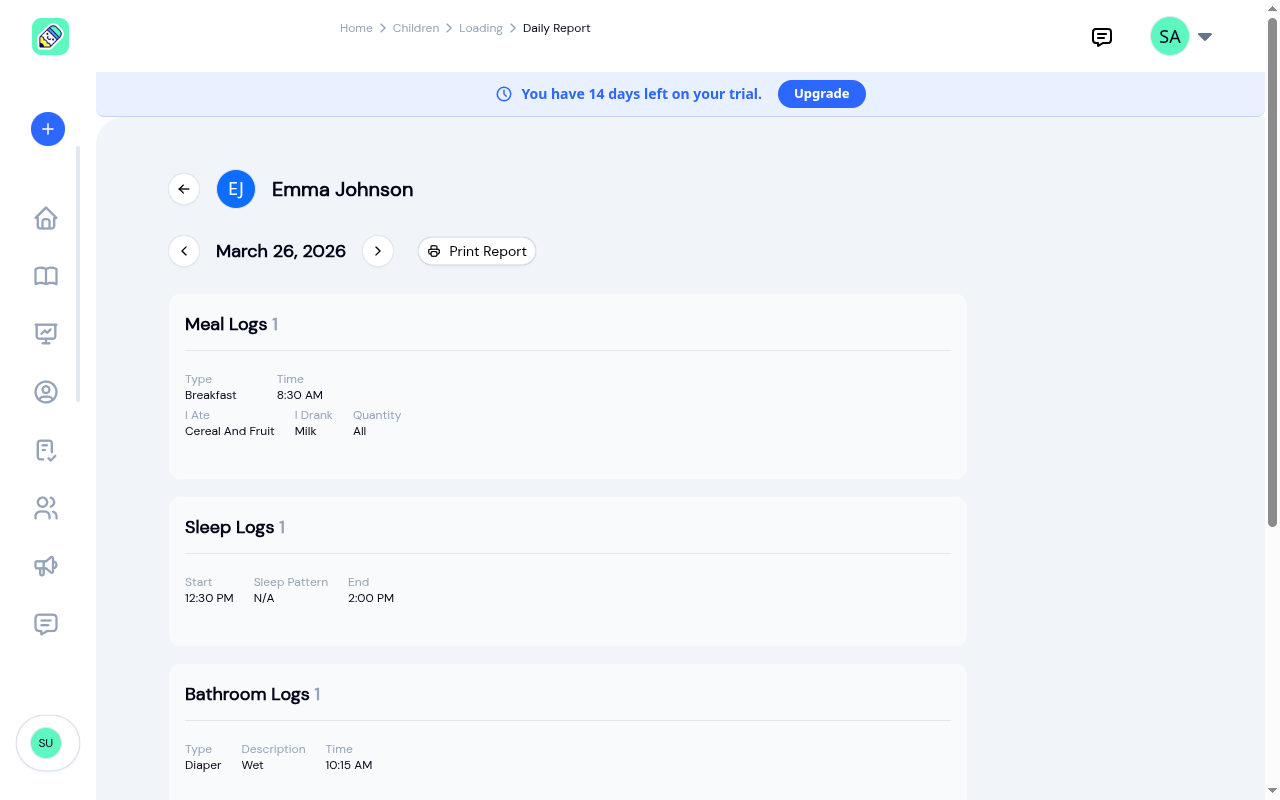
Parents see this same report in their Parent Portal — making it the primary way parents stay informed about their child's day.