

Parent Portal Overview
The Parent Portal is your dedicated space in KidzLog to stay informed about your child's day. From here you can view activity updates, check attendance records, read announcements, see upcoming events, and communicate with staff.
The Parent Dashboard
When you log in as a parent, you land on the Home page — your dashboard for quick access to everything about your child.
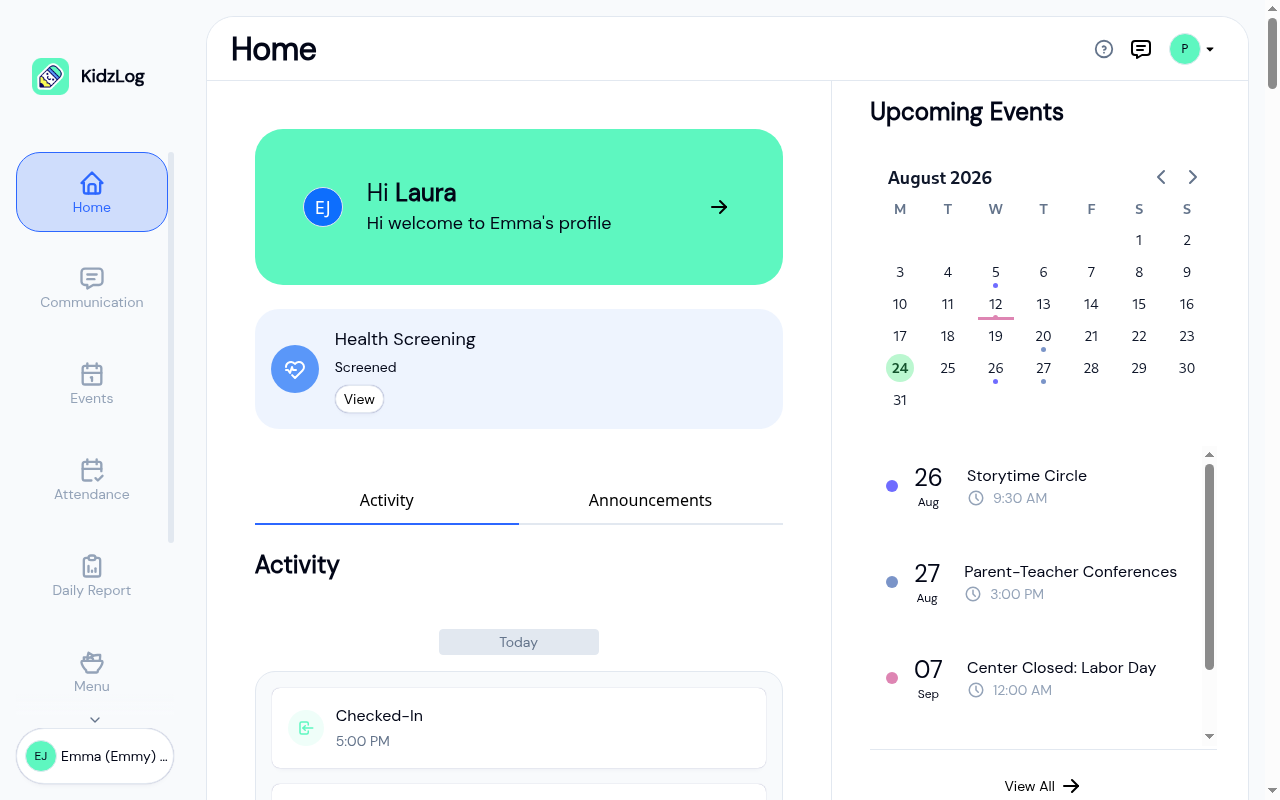
The dashboard is organized into three sections:
Child Profile Card
At the top of the page, a greeting card displays your name and your currently selected child's name. Tap the arrow icon to go to your child's full profile.
Activity & Announcements Tabs
Below the greeting, two tabs let you switch between:
- Activity — A chronological feed of your child's daily activities including check-ins, check-outs, meals, sleep, bathroom visits, mood logs, and learning achievements.
- Announcements — Published announcements from your center, such as program updates or center-wide notices.
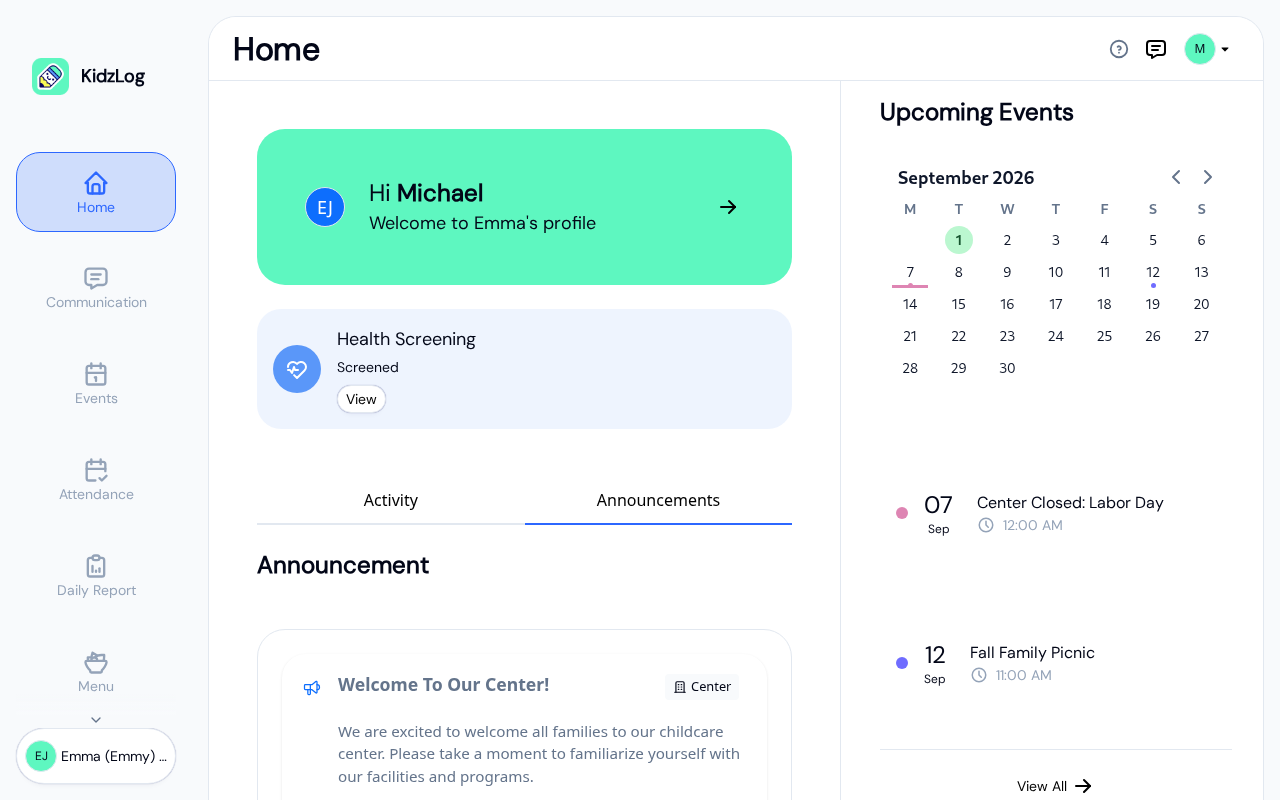
You'll only see the tabs your center is using. If your center shares daily activities but not announcements, you'll see just the Activity tab, and vice versa.
If your center isn't using either, the tabs are replaced with a short message: "Daily updates and announcements aren't being shared here right now." Your child's profile card stays at the top, and the rest of the portal, such as attendance, documents, and payments, works as normal.
Upcoming Events Sidebar
On the right side (desktop only), a calendar and a short list show what's coming up at the center. The list is ordered by date, soonest first, so the next thing happening is always at the top. Tap any event to see its details, or tap View All for the full events page.
Switching Between Children
If you have more than one child enrolled at the center, you can switch between them using the child selector at the bottom of the sidebar.
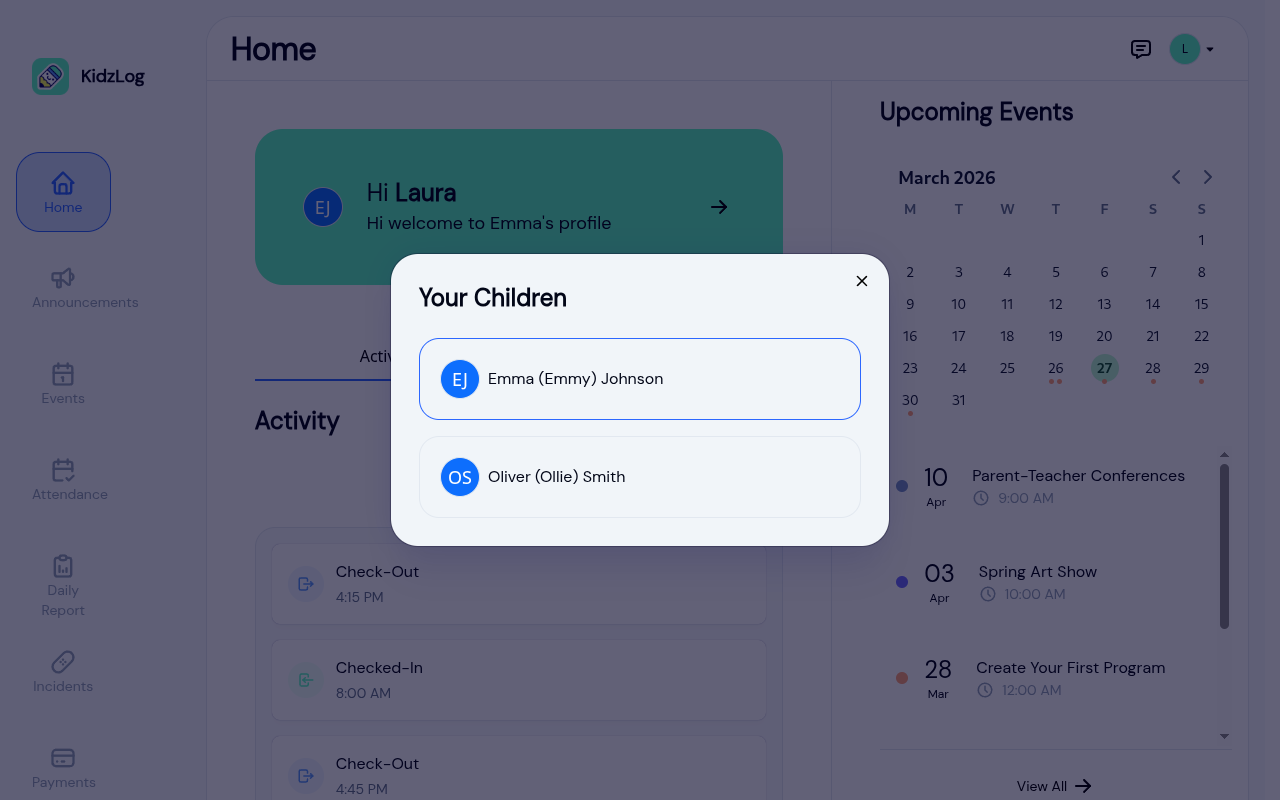
Tap on a child's name to switch. The dashboard will reload with that child's activity feed, attendance, and daily report data.
Navigation
The sidebar (desktop) or bottom navigation bar (mobile) provides quick access to all Parent Portal pages:
- Home — your child's profile card, the activity feed, announcements, and what's coming up
- Communication — announcements from the center and your message threads with staff
- Events — the center calendar and event list
- Attendance — your child's attendance history
- Daily Report — meals, naps, nappies, and learning, day by day
- Menu — what's being served, with your child's allergies highlighted
- Incidents — incident reports involving your child
- Documents — forms the center has sent you to read or sign
- Payments — invoices and payment history
Profile Menu
Tap your avatar in the top-right corner to access your profile menu.
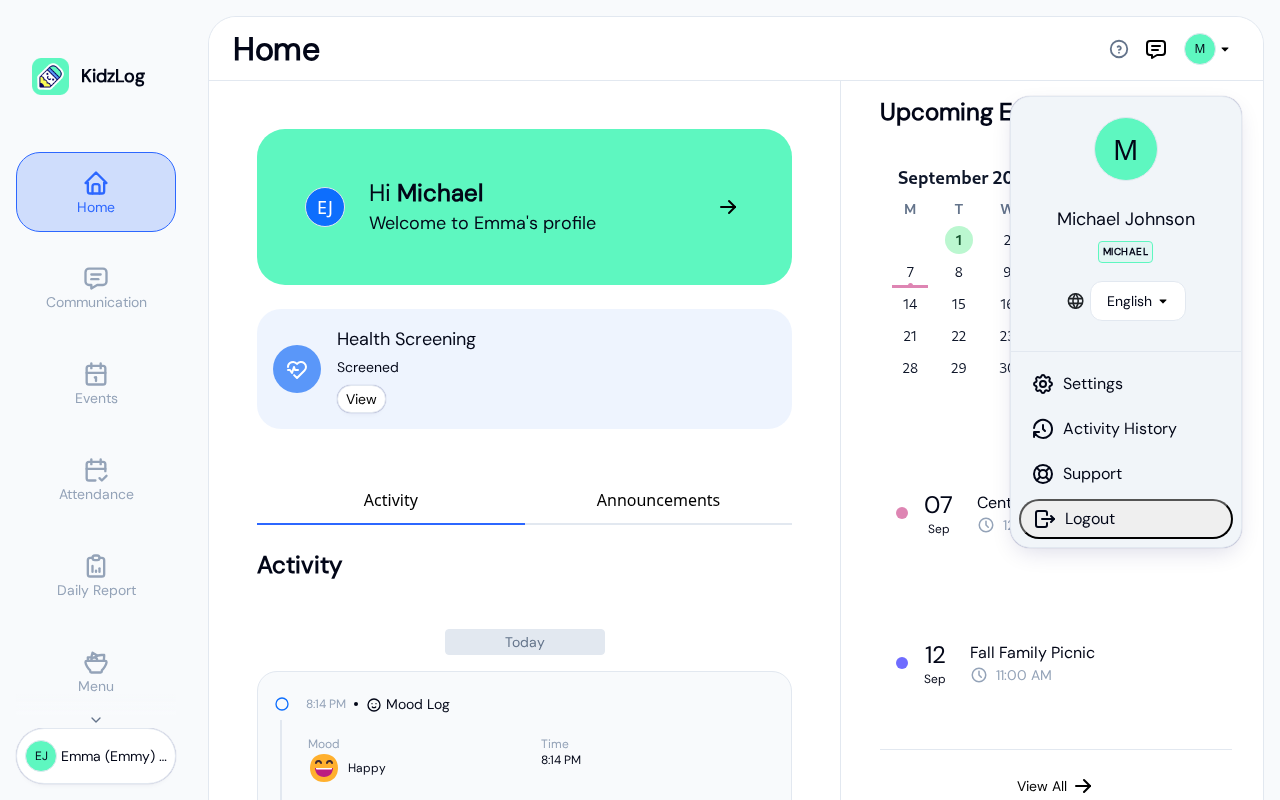
From the profile menu you can:
- Switch language between English and French
- Open Settings to update your profile and notification preferences
- Access Support
- Log out of your account
Frequently Asked Questions
Tap the child name at the bottom of the sidebar (desktop) or tap the child avatar in the bottom navigation bar (mobile). A modal will appear showing all your linked children — tap one to switch.
Navigation items depend on which modules your center has enabled. For example, if your center hasn't enabled the Payments module, the Payments link won't appear.
On mobile and tablet devices, the events sidebar is hidden to save screen space. Tap Events in the bottom navigation bar to access the full events page.