

Viewing Attendance
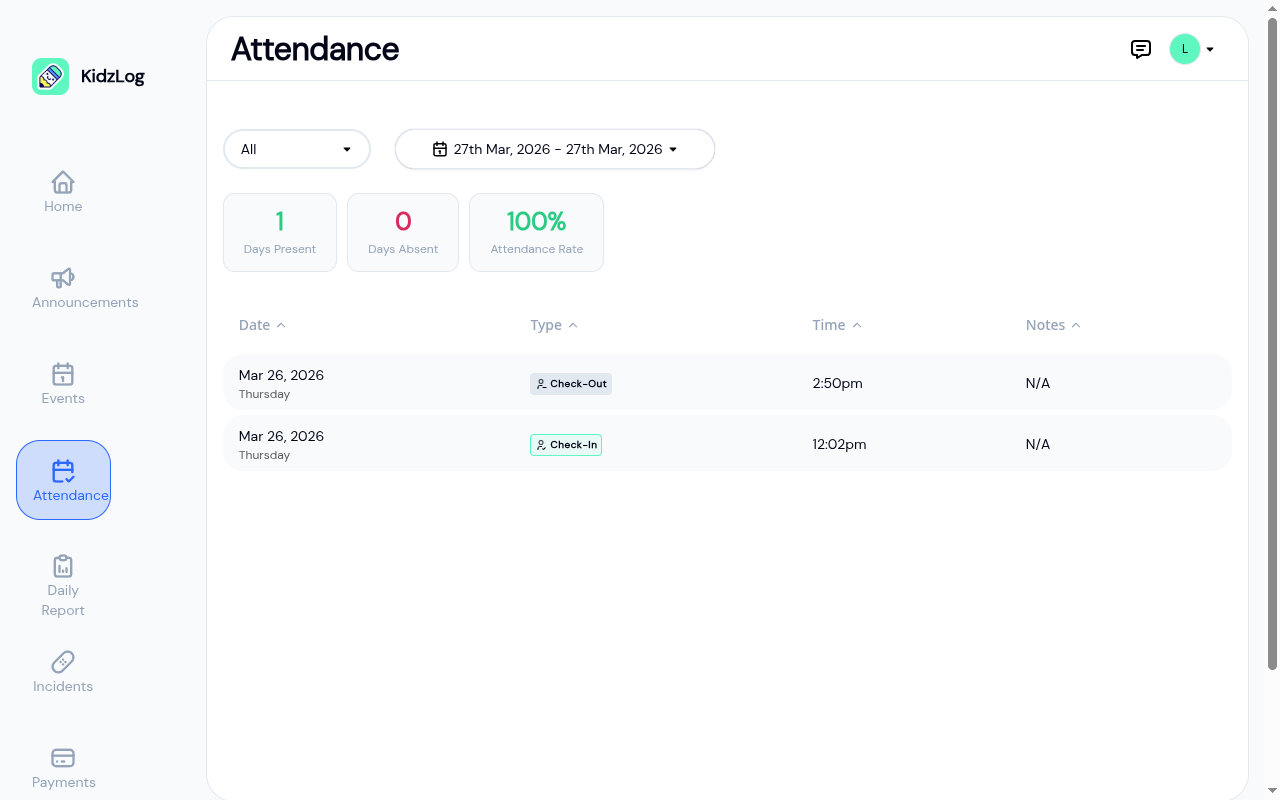
The Attendance page shows your child's attendance history with summary statistics. You can filter by status and date range to review specific periods.
How to Access
Open the Attendance page from the sidebar navigation.
Filters
Two filters at the top of the page let you narrow down the records:
- Status filter — Choose All, Present, or Absent to filter by attendance type
- Date range — Select a date range to view attendance for a specific period. Tap the date picker to choose start and end dates.
Summary Statistics
Three cards show an at-a-glance summary for the selected date range:
| Stat | Description |
|---|---|
| Days Present | Number of days your child attended |
| Days Absent | Number of days your child was marked absent |
| Attendance Rate | Percentage of days present out of total days |
Attendance History Table
Below the summary, a table lists each attendance record with:
- Date — The date and day of the week
- Type — Check-In, Check-Out, or Absent
- Time — When the check-in or check-out occurred
- Notes — Any notes added by staff (e.g., early pickup, late arrival)
Tap any column header to sort the table by that column.
Daily Health Screening from Home
If your center uses health screening and allows parents to complete it at home, you can answer your child's daily health questions before drop-off, so they don't have to be screened again at the door.
The prompt appears on your Home page (the dashboard) whenever a child still needs screening for the day. It shows a Health Screening card naming the child (for example, "Please complete Oliver's daily health screening") with a Health Screen button. It's per child, so use the child switcher to handle each one.

Tap Health Screen to open the questionnaire, answer each yes/no question about your child's health today, add an optional note, and tap Submit.
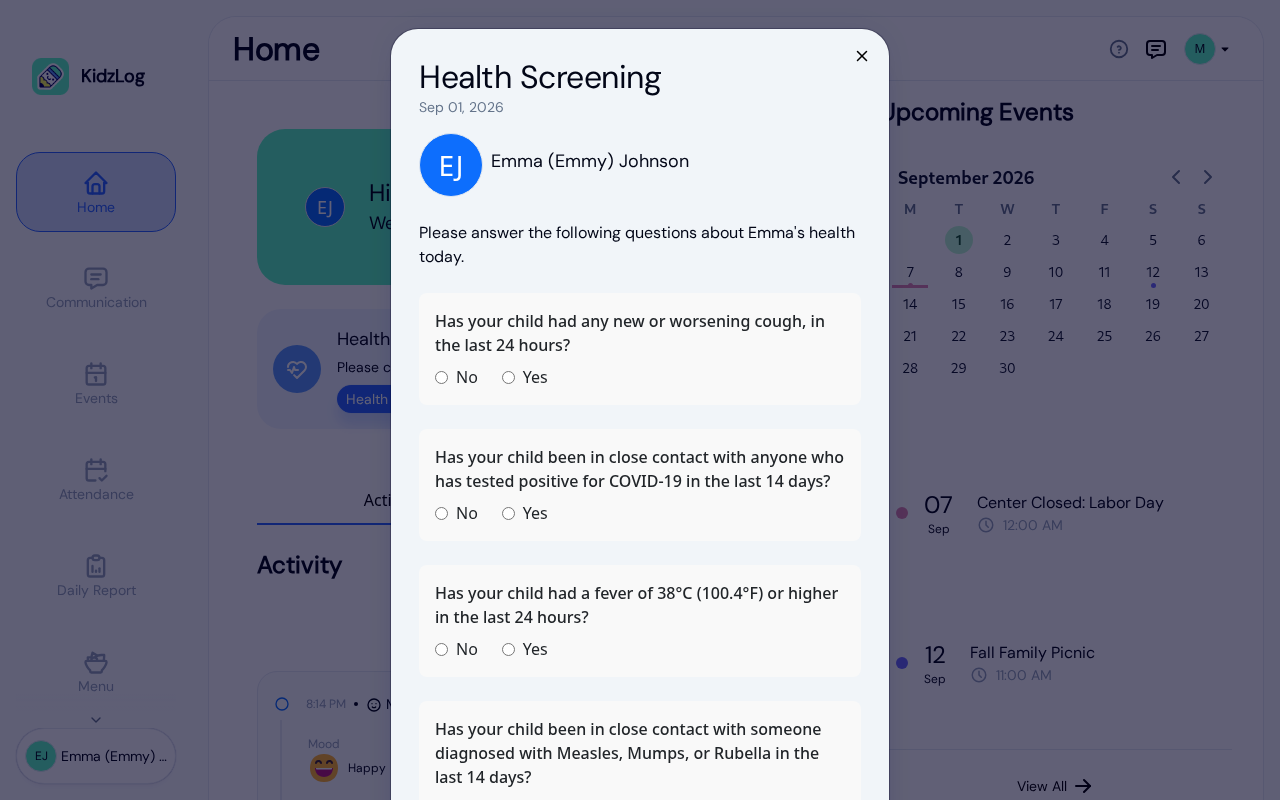
- If everything is clear, your child passes and the prompt disappears. That satisfies the day's screening, so staff don't need to screen them again at the kiosk, QR check-in, or front desk.
- If an answer flags a concern, your child does not pass. You'll see a "Did not pass today's screening" message with the option to Re-answer or Close. A child who did not pass can't be checked in until it's resolved. If you made a mistake, tap Re-answer to correct it for the day.
Frequently Asked Questions
By default, the attendance page shows today's date. Use the date range picker to expand the range and see more history.
Yes. Use the child switcher in the sidebar to select a different child, then navigate to the Attendance page.