

Activity History
The Activity History page in your Parent Portal is a transparent log of every account-level and attendance event involving your child. It answers questions like "When did the center update my child's allergy list?" and "Who checked my child out on Tuesday?" — without you having to email anyone.
How to Access
Activity History lives in your avatar dropdown, not the main sidebar — events here are reference material rather than a daily destination.
Open the avatar menu
Tap your avatar in the top-right corner of any page. The menu opens with your name, a language selector, and links to Settings, Activity History, Support, and Logout.
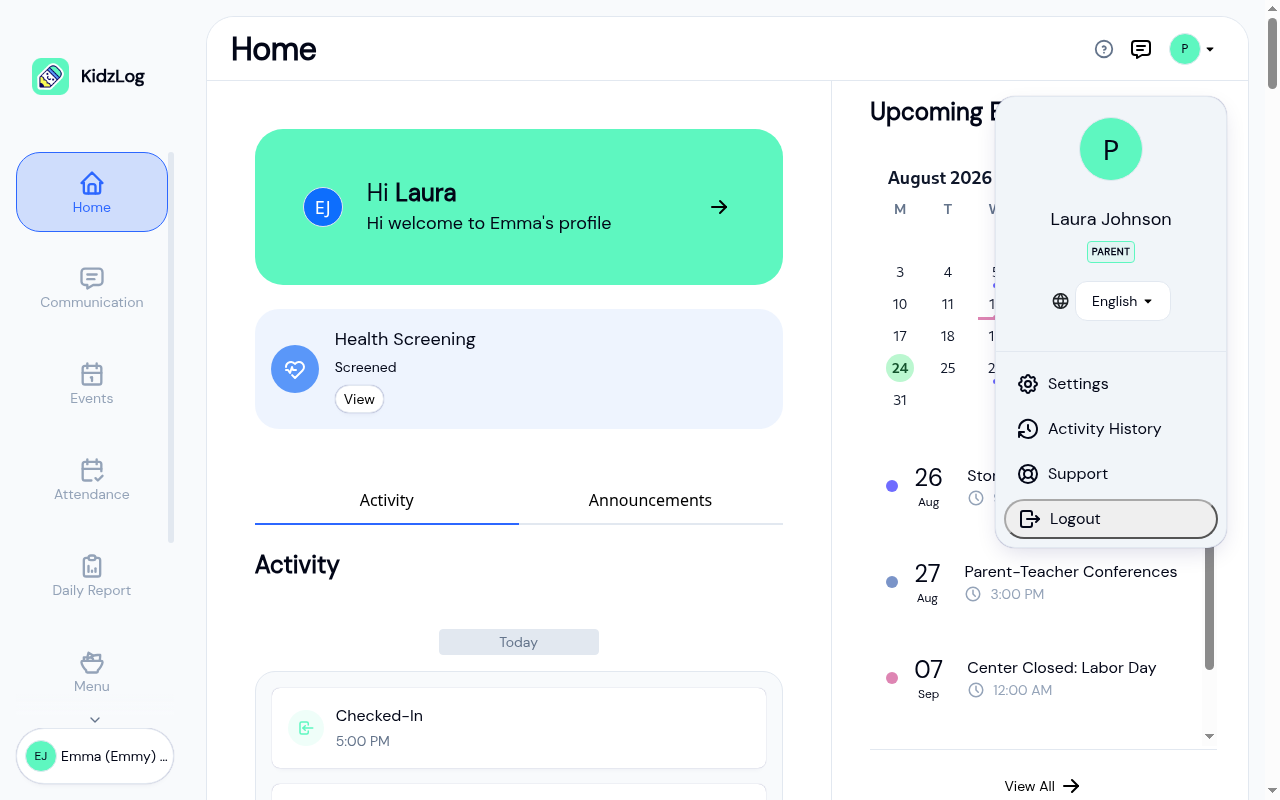
Tap Activity History
The page opens on the most recent events, newest first. If you have more than one child enrolled, a child selector appears so you can switch between them.
What You See
The table shows six columns:
- Time — when the event happened, in your center's timezone
- User — the staff member who performed the action (or your own name for events like a kiosk check-out)
- Action — what happened: Created, Updated, Archived, Checked In, Checked Out, and so on
- Entity — what was affected: Child profile, Attendance, Medical condition, Emergency contact, etc.
- Details — a quick summary of what changed
- Severity — Info, Warning, or Critical
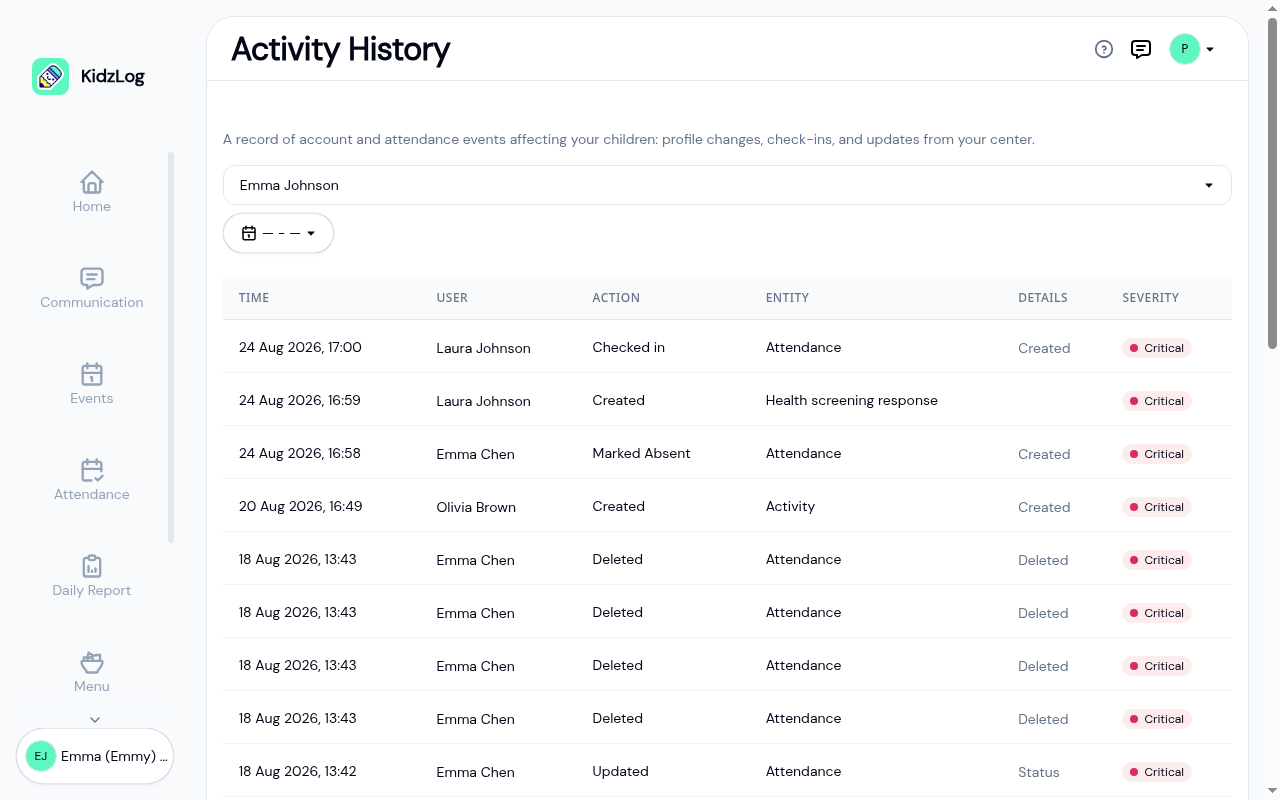
Click any row to open the full event details.
Under the table, a line tells you which events you're looking at and how many there are in total, for example "Showing 1 to 25 of 176 records". Use the page buttons to go further back, or the Per page selector to show more at a time. See How lists work.
Switching Between Children
If you have more than one child at the center, the dropdown above the table lets you swap between them. KidzLog automatically picks the first child in alphabetical order when you first land on the page.
Date Range
The date range picker next to the child selector lets you focus on a specific window. Two presets are available — Last 7 days and Last 30 days — and you can pick custom start and end dates.
Event Details
Click any row to open the detail panel. For an update, the panel shows a before-and-after comparison of every field that changed.
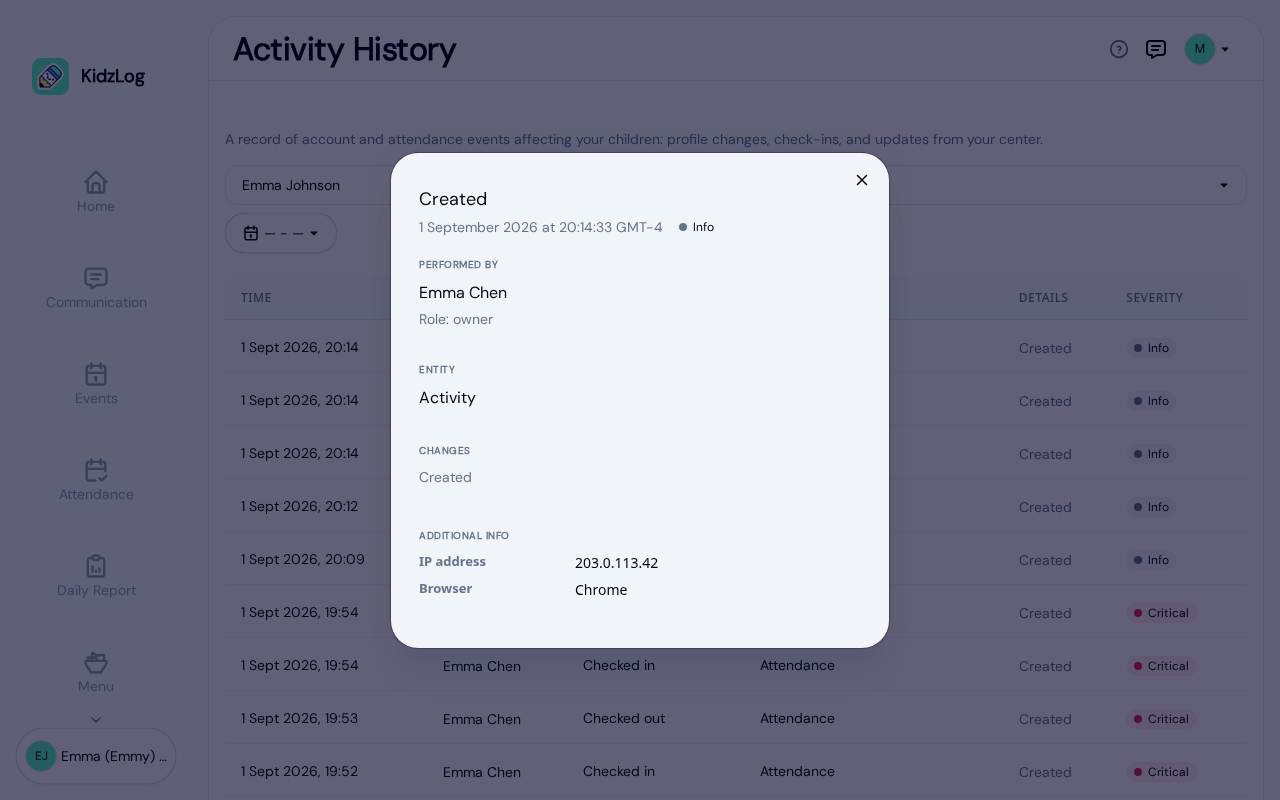
The panel always includes:
- Performed by — the name of the user who did this action and their role in the center
- Entity — the record they acted on
- Changes — a before-and-after comparison of each field that changed, or just Created / Deleted for create-and-delete actions
- Additional info (when available) — the reason note, bulk-operation marker, IP address, and browser
What You Won't See
Activity History only surfaces events tied to your own children. You won't see:
- Activity for other families
- Internal admin work at the center (staff role changes, settings updates, billing actions)
- Events for children no longer linked to your account
You'll also never see field-level details for changes to other parents' records — KidzLog scopes the timeline tightly to keep family information private.
Frequently Asked Questions
Some events happen automatically — for example, an attendance record that KidzLog closes automatically overnight, or an enrolment that completes on its end date. These events are shown as performed by "System", not a specific person.
Activity History keeps every event recorded since your child was added to the center. There's no automatic pruning, so even multi-year-old events remain searchable.
No. Viewing your own Activity History isn't itself a recorded event — only actions that change data are logged.
The Daily Report is your hour-by-hour care snapshot — meals, naps, mood, learning, photos. Activity History is the record of changes — profile edits, check-ins, immunization updates. Use the Daily Report to see how your child's day went, and Activity History to see what changed about their record.
Related
- Daily Report — your child's daily care snapshot
- Viewing Attendance — historical attendance with day-by-day breakdown
- Child Overview — current profile, health, and contacts